
To stop looking down, anchor your fingers on the home row and practice tiny groups of keys. Keep your eyes on the screen and slow down enough to stay accurate. Short daily sessions are what make the keyboard map automatic.
- Looking down adds a tiny search task to almost every word.
- The fix is not willpower. It is smaller practice and better feedback.
- Short sessions work better than forcing a full-speed test too early.
Free Keytopia typing test
Take a typing test and set an honest starting point
A clean baseline shows your WPM, accuracy, errors, consistency, and the keys that need attention first.
- PaceAverage, raw, peak and low WPM
- ControlAccuracy, errors, consistency and CPM
- TimingReaction, overlap, hold, rhythm and recovery
- PatternsTimeline, heatmap, word, key and bigram speed
No account needed. Save your history after sign-in.
Why looking down slows you down
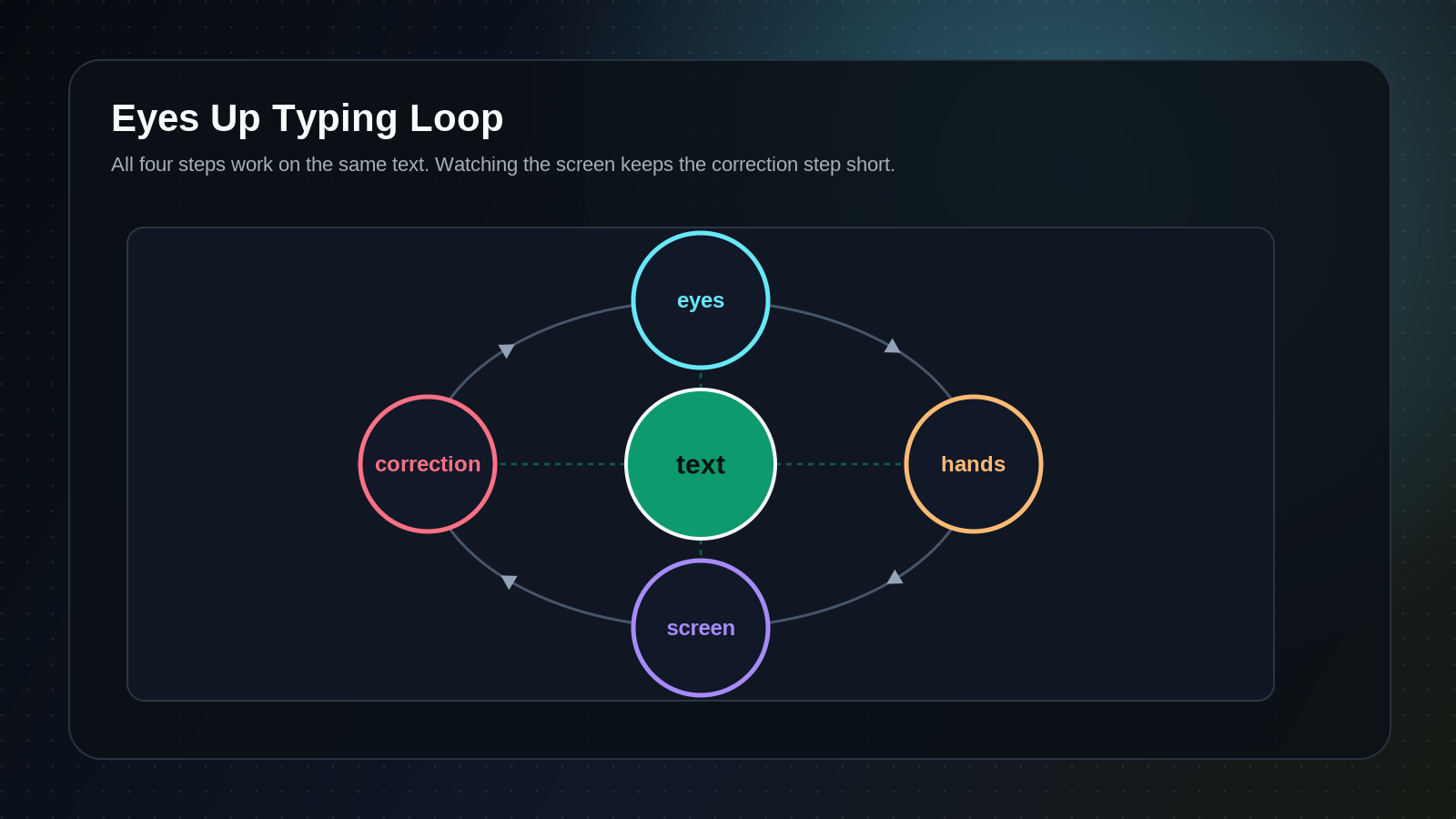
Every glance at the keyboard breaks the loop.
Your eyes leave the sentence, search for a key, return to the screen, and then check if the word is right.
That can feel harmless, but it repeats throughout a session. Touch typing aims to keep the eyes on the output while the fingers use a learned key map.
Start with home row
Put your left fingers on A, S, D, F and your right fingers on J, K, L, semicolon.
The small bumps on F and J are your anchors. Feel them before you start.
Do not rush. Type simple home-row patterns until your hands know how to return without help from your eyes.
Use the cover method carefully
Some learners cover the keyboard or use blank keycaps.
That can help, but only if it does not create panic. If covering the keys makes you tense, start smaller.
Try covering only one row. Or practice with your hands low enough that the key labels are harder to see. The goal is confidence, not fear.
Practice in tiny groups
Do not try to master the whole keyboard at once.
Practice F and J. Then D and K. Then S and L. Then A and semicolon.
After that, add nearby letters. Small groups let your hands learn a clean map. Big random tests can make beginners look down more because the task feels unsafe.
Slow down before you speed up
If you look down whenever you feel rushed, the test is too hard.
Slow the pace until you can keep your eyes on the screen and still type accurately.
Speed grows from trust. Your fingers need enough successful reps to believe they know the key location.
Use Keytopia as the daily anchor
Keytopia is useful for this because you can start with lessons, then move into normal practice, games, races, and analytics when you are ready.
If your account is connected to an institute, the same routine can also connect to assignments, admin settings, and teacher feedback.
Use a short Keytopia lesson and make one rule: eyes stay on the screen. Stop before tension or frustration makes you abandon the finger map.
If your speed drops at first, that is fine. You are building the habit that makes faster typing possible later.
Use an eyes-up ladder
Do not try to stop looking forever in one heroic session. Use a ladder.
First, type the home row while looking only at the screen. Then add E and I. Then add R and U. Then add the bottom-row keys that match those fingers. Keep each step small enough that you can stay accurate.
If you look down, do not restart in frustration. Put your index fingers back on F and J, breathe, and continue.
The habit changes when your hands learn that the screen is where feedback lives. Looking down gives you key location, but looking up gives you the word, the typo, the rhythm, and the next phrase.
Make peeking harder for a little while
If your eyes keep dropping automatically, change the environment.
Use a keyboard cover, a folded sheet of paper above your hands, blank keycaps, or simply dimmer desk lighting with a bright screen. You do not need anything fancy. You just need a small barrier between the old habit and the keys.
Keep the practice gentle. Covering the keyboard and sprinting is a recipe for anger. Cover it, slow down, and use short Keytopia lessons where the target is accuracy.
After a few sessions, the keyboard will start to feel less like something you inspect and more like something your hands already know.
FAQs
How long does it take to stop looking at the keyboard?
There is no fixed timeline. Track how often you look down during the same short exercise. A gradual reduction is more useful than a promised number of weeks.
Should I cover my keyboard while learning?
It can help some learners, but it should not create stress. If covering all keys feels too hard, cover one row or practice smaller key groups first.
Why do I type slower when I stop looking?
Your old method was familiar. The new method is better long-term, but it needs repetition before it feels automatic.
Is it bad to look at the keyboard sometimes?
No. The goal is not perfection. The goal is fewer glances over time so your attention can stay on the screen.
Sources
Independent research, official documentation, and source pages behind the claims above.
Key takeaway
Stop looking down by making the practice smaller, slower, and more predictable. Once your hands trust the keyboard map, speed has room to grow.
Free Keytopia typing test
Take a typing test and set an honest starting point
A clean baseline shows your WPM, accuracy, errors, consistency, and the keys that need attention first.
No account needed. Save your history after sign-in.
- PaceAverage, raw, peak and low WPM
- ControlAccuracy, errors, consistency and CPM
- TimingReaction, overlap, hold, rhythm and recovery
- PatternsTimeline, heatmap, word, key and bigram speed