
There is no reliable universal timeline. Learning the finger map may take days, but typing without looking and transferring the skill to real work can take weeks or months. Starting method, practice time, language, layout, age, accessibility needs, and the target all matter.
- The basics are quick. Automaticity is slower.
- Adults can learn touch typing, even after years of old habits.
- Short sessions are often easier to schedule and repeat than occasional long sessions.
Free Keytopia typing test
Take a typing test and set an honest starting point
A clean baseline shows your WPM, accuracy, errors, consistency, and the keys that need attention first.
- PaceAverage, raw, peak and low WPM
- ControlAccuracy, errors, consistency and CPM
- TimingReaction, overlap, hold, rhythm and recovery
- PatternsTimeline, heatmap, word, key and bigram speed
No account needed. Save your history after sign-in.
The realistic timeline
The first milestone is understanding the finger map. The next is finding keys without looking. After that, the harder goal is using the method during normal writing without falling back to old habits.
Those milestones do not arrive on a fixed schedule. A learner who practises ten minutes a day on one layout has a different path from someone who types for school or work all day. Language, disability, fatigue, keyboard access, and starting habits also matter.
Measure milestones instead of predicting a finish date: fewer glances at the keyboard, fewer repeated errors, a longer clean session, and a stable score on the same test format.
Why you may feel slower at first
Switching from hunt-and-peck to touch typing can feel like getting worse. That is normal.
Your old method is familiar. The new finger map is not, so it needs practice before it can feel automatic.
The danger is quitting during the awkward middle. Expect it. Plan for it. Keep sessions short enough that you come back tomorrow.
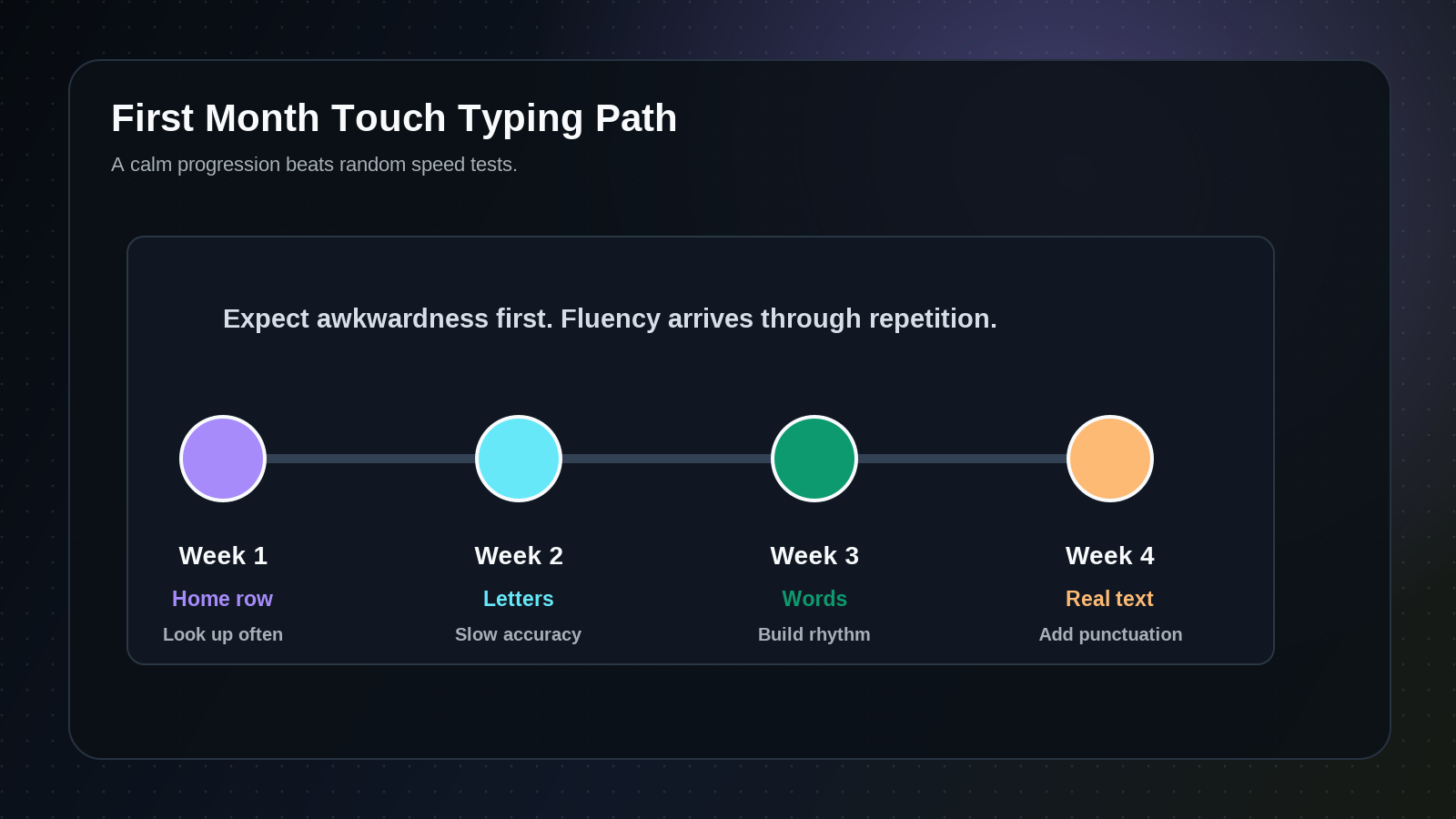
A sample first-month progression
Week 1: learn home row and stop looking down as often.
Week 2: add the rest of the letters and practice slow accuracy.
Weeks 3 and 4: use real sentences and start measuring WPM carefully.
Month 2 onward: alternate weak-key drills, natural text, and short speed tests.
Treat this as a template. Repeat a stage when the new keys still feel uncertain. Move ahead when your current practice is controlled, not because the calendar says so.
What makes learning faster
Keep sessions short enough to stay relaxed and attentive. Ten minutes is a useful starting experiment, not a required dose.
Protect accuracy. If you learn sloppy movement, you will have to unlearn it later.
Use a comfortable keyboard setup, take breaks, and avoid pushing through pain. Stop and seek qualified advice when symptoms persist or return.
Start the first month on Keytopia
Keytopia gives beginners a clear place to start without turning practice into a dry worksheet.
Use lessons to learn the layout, normal practice to build accuracy, games to stay interested, and analytics to see what needs work next.
If you are replacing hunt-and-peck habits, keep it simple: open keytopia.org, practice a little every day, and protect accuracy while your hands learn the map.
What progress usually feels like
Learning touch typing rarely feels smooth in the first few days.
At first, you know less than your old habit. That is why your speed drops. Then the home row starts to feel familiar, but top-row and bottom-row reaches still feel awkward. After that, common words begin to arrive as small patterns instead of separate letters.
The first useful shift has no standard date. Look for fewer glances, fewer repeated errors, and more stable scores on the same exercise. Work-ready practice also needs punctuation, numbers, capitals, and longer passages.
So if week one feels clumsy, that is not failure. It is the old map being replaced.
What slows learners down
Three things slow the process more than anything else.
The first is peeking. Every glance teaches your eyes to solve the problem instead of your fingers.
The second is practising past attention or comfort. Stop when fatigue or tension changes the movement.
The third is changing the goal every day. One day speed, one day symbols, one day games, one day layout changes. Pick one focus for a week and let the repetition do its job.
Keytopia lessons help because they keep the next step small. Small steps are not childish; they are how motor habits get built.
FAQs
Can adults learn touch typing?
Yes. Adults can learn touch typing. The hard part is not age; it is replacing old habits with enough consistent practice.
How many minutes a day should a beginner practice?
Try a short session that ends before focus or form falls apart. Ten minutes is a common starting point, but age, fatigue, accessibility, and prior experience can change what is comfortable.
Will I get slower before I get faster?
Often, yes. Switching methods can temporarily lower speed because your new finger patterns are not automatic yet.
Do I need to memorize every key before practicing?
No. Learn a few keys, practice them accurately, then expand. Touch typing is learned through movement, not just memorization.
Sources
Independent research, official documentation, and source pages behind the claims above.
Key takeaway
Learn touch typing by milestones, not a promised number of days. Use a consistent finger map, practise without pain, and compare like-for-like results over time.
Free Keytopia typing test
Take a typing test and set an honest starting point
A clean baseline shows your WPM, accuracy, errors, consistency, and the keys that need attention first.
No account needed. Save your history after sign-in.
- PaceAverage, raw, peak and low WPM
- ControlAccuracy, errors, consistency and CPM
- TimingReaction, overlap, hold, rhythm and recovery
- PatternsTimeline, heatmap, word, key and bigram speed