
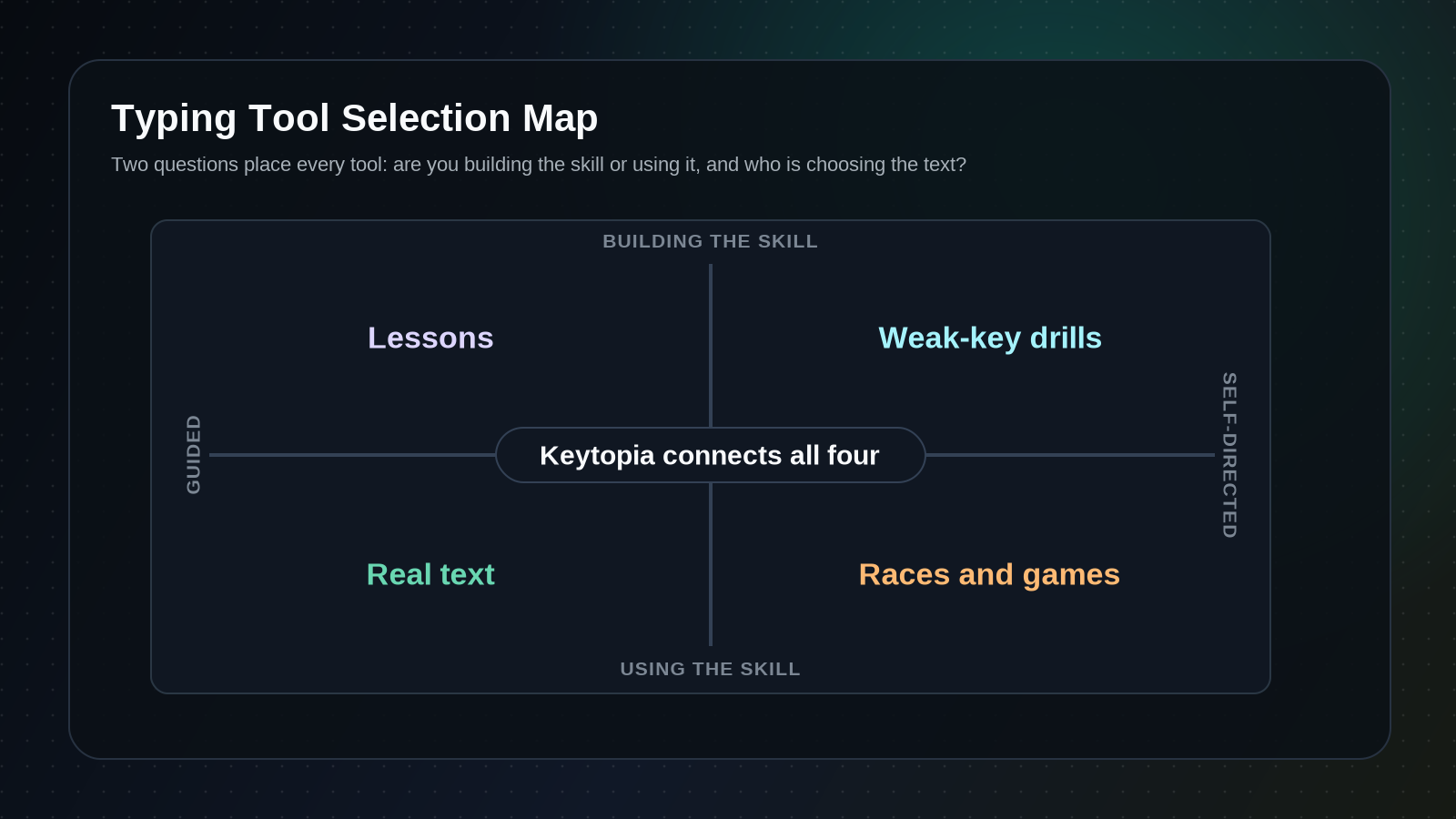
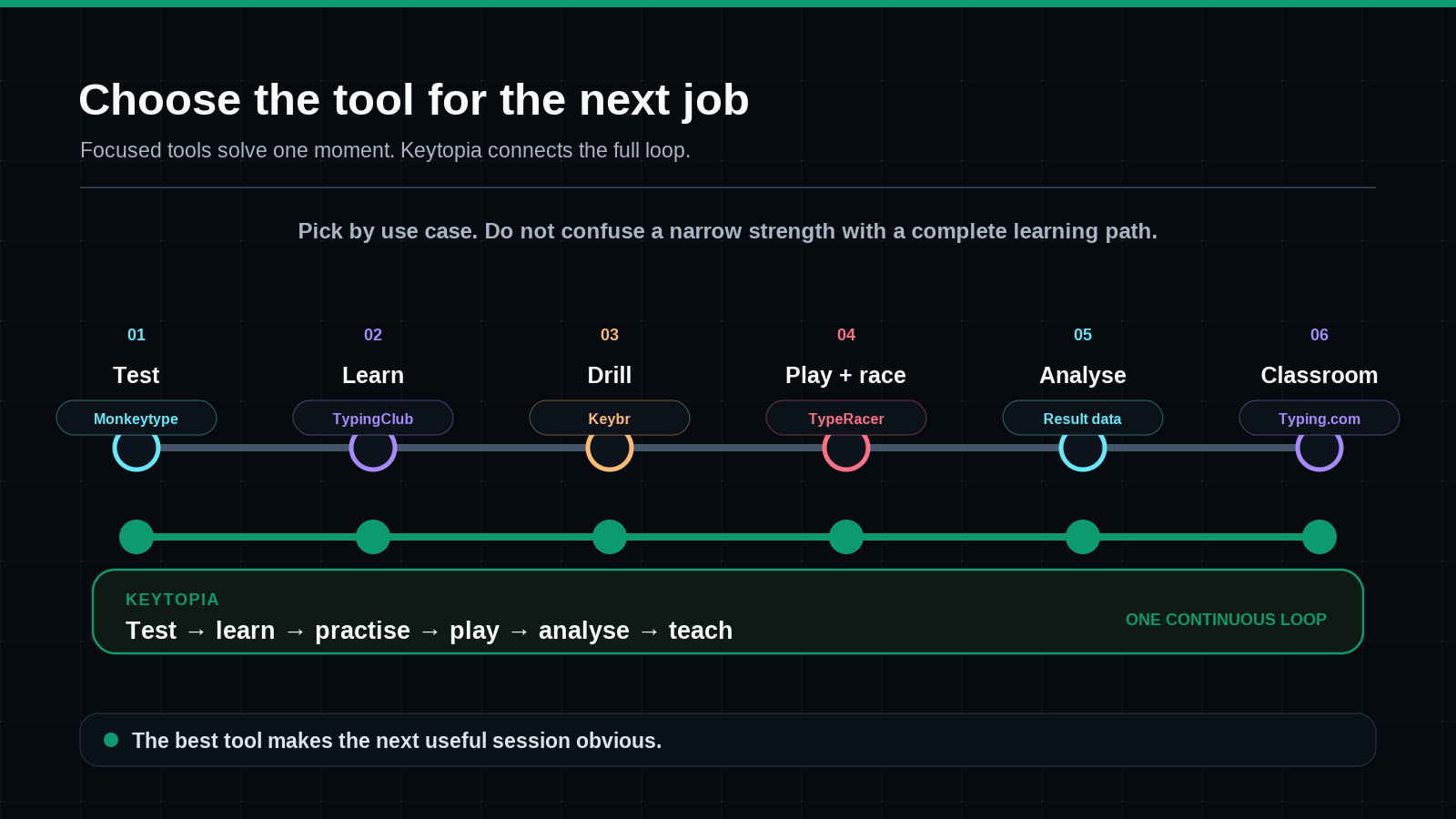
There is no single best typing website, so choose by the job. TypingClub, Typing.com, and Ratatype teach beginners with ordered lessons. Keybr drills weak letters. Monkeytype is a configurable speed test, and 10FastFingers a quick one-minute test. TypeRacer is for races. Keytopia is free and keeps lessons, tests, analytics, games, races, certificates, and classrooms in one account.
- Each typing site is built for a different job: learning the keys, fixing weak letters, measuring speed, racing, or running a class.
- Beginners need ordered lessons first. A speed test alone does not teach finger placement.
- Keytopia is the option that connects all of those jobs in one free account, but a focused tool can be simpler when you need only one of them.
Free Keytopia typing test
Take a typing test and turn the advice into a result
Start with WPM and accuracy, then inspect consistency, weak keys, per-key speed, reaction time, and slow letter pairs.
- PaceAverage, raw, peak and low WPM
- ControlAccuracy, errors, consistency and CPM
- TimingReaction, overlap, hold, rhythm and recovery
- PatternsTimeline, heatmap, word, key and bigram speed
No account needed. Save your history after sign-in.
The comparison at a glance
The best typing websites in 2026 depend on the job in front of you. For ordered lessons, TypingClub, Typing.com, and Ratatype. For weak-letter drills, Keybr. For a quick speed test, Monkeytype or 10FastFingers. For races, TypeRacer. For lessons, tests, games, races, certificates, and classrooms in one free account, Keytopia. Each site gets its own section below, followed by the Monkeytype alternatives people ask about most and a direct Keybr versus TypingClub comparison.
Every site below is free to start. They differ in what they are built to do, so the table compares purpose, strength, and trade-off rather than giving one overall score.
| Site | Best for | What it does well | Trade-off |
|---|---|---|---|
| Keytopia | One account for the whole learning loop | Guided lessons, timed tests with detailed analytics, skill games, races, proctored certificates, and classroom tools | More features than someone who only wants a quick test needs |
| Monkeytype | A clean, customisable speed test | Many test modes, word lists, languages, and themes; free and open source | Not a step-by-step course for beginners |
| Keybr | Fixing weak letters | Generated practice that adds letters as you improve and repeats the keys you find slow | Generated words can feel unnatural, so mix in real text |
| Typing.com | Beginners and school classes | Structured lessons, tests, games, and teacher tools | The free version shows ads; some features sit in paid plans |
| TypingClub | Beginners and schools that want a fixed curriculum | A long, ordered lesson path and a school edition | The fixed path can feel slow if you already touch type |
| 10FastFingers | A quick one-minute benchmark | Short common-word tests in many languages and typing competitions | A one-minute common-word score does not show sustained pace |
| Ratatype | Beginners who want lessons and a certificate | Simple lessons, a typing test, and a shareable certificate | Fewer analytics and practice modes than larger platforms |
| TypeRacer | Racing other people | Real-time races on quotes from books, films, and songs | Races reward bursts and are not a full lesson plan |
Features, plans, and ads change. Confirm anything that matters to you, such as pricing, privacy terms, or school controls, on each official site before you commit.
Pick the site by the problem you have right now
The useful question is not "Which site is best?" It is "What is slowing me down this month?"
- Still looking at the keyboard: start with ordered lessons on TypingClub, Typing.com, Ratatype, or Keytopia.
- Making the same mistakes on the same letters: use Keybr or Keytopia weak-key practice, then prove the fix on real sentences.
- Wanting a number to track: use a fixed test length on Monkeytype, 10FastFingers, or the Keytopia typing test, and keep the settings the same each time.
- Losing motivation: add races on TypeRacer or Keytopia, or a short typing game, without letting accuracy slide.
- Teaching a class: compare Typing.com, TypingClub, and Keytopia classrooms on rosters, assignments, reporting, and student-data terms.
Most learners move through several of these stages. That is why a single leaderboard score is a poor way to choose.
Monkeytype: a configurable speed test
Best for: typists who already know the keyboard and want a clean, distraction-free test with many settings.
Monkeytype is a free, open-source typing test. You pick a time or word count, a word list, a language, and a theme, then type. The result screen shows speed and accuracy and keeps a history if you sign in.
Limits: there is no ordered lesson path, so a beginner has nothing to tell them which finger to use. Its default short tests of common lowercase words also flatter a score. If you want a Keytopia equivalent, the 1-minute typing test runs as a guest with no account and adds per-key and letter-pair detail to the result.
Keybr: generated practice for weak letters
Best for: someone who knows the layout but keeps stumbling on the same few letters.
Keybr generates practice text from a growing set of letters. It starts with a small group, adds letters as your speed on the current set improves, and repeats the keys you type slowly. That makes it a focused drill rather than a test.
Limits: the generated words are often not real words, so the rhythm of normal prose is missing. Punctuation, capitals, and numbers are secondary. Treat it as one drill in a wider plan and confirm the gain on real sentences.
TypingClub: a long, fixed lesson path
Best for: complete beginners and schools that want every learner to follow the same sequence.
TypingClub is a lesson course first. The path runs from single keys to full passages in a fixed order, with a school edition that gives teachers class management. The structure is the point: there is always a next lesson.
Limits: the fixed path can feel slow if you already touch type and only need to fix a few habits. For a comparison of what Keytopia offers a class, see typing for schools.
Typing.com: lessons, tests, and teacher tools
Best for: beginners and classrooms that want lessons, tests, and games from one site.
Typing.com combines a structured curriculum with tests, games, and a teacher dashboard. It is widely used in schools, and the free tier covers the core course.
Limits: the free version shows ads, and some features sit in paid plans, so check the current plan page and the student-data terms before rolling it out to a class.
10FastFingers: a one-minute benchmark
Best for: a fast, familiar one-minute score and casual competitions.
10FastFingers runs short tests built from common words in many languages, plus multiplayer competitions. It is a quick way to get a number.
Limits: a one-minute common-word score does not show sustained pace or how you handle punctuation. For a longer check, use a 3-minute test and compare it with your one-minute result.
Ratatype: simple lessons and a certificate
Best for: beginners who want a gentle course and a shareable certificate at the end.
Ratatype offers simple lessons, a typing test, and a certificate you can share. It is low-pressure and easy to start.
Limits: fewer analytics and practice modes than larger platforms, so once the basics are in place you may want more detail on what to fix next.
TypeRacer: racing other people on real quotes
Best for: anyone who stays motivated by competition.
TypeRacer runs live races on quotes from books, films, and songs. You type the passage against other people and see your place at the line.
Limits: races reward bursts, and a race is not a lesson plan. If you like the format, Keytopia also has races and four typing games that track speed and accuracy, which keeps race practice and lesson progress in one history.
Keytopia: the whole loop in one free account
Best for: a learner, parent, or teacher who wants lessons, tests, drills, games, races, certificates, and classroom tools to share one history.
Keytopia starts with a guest typing test that needs no account. An account adds the touch typing lessons, weak-key practice, games, races, proctored certificates, and classrooms.
Limits: it is broader than a minimalist test, so if you only ever want a quick score, a single-purpose site is simpler. The next section explains the method behind this comparison and the trade-offs in more detail.
Monkeytype alternatives, including for classroom use
People look for a Monkeytype alternative for two different reasons, and the right answer differs.
If you like Monkeytype but want something it does not do, the gap is usually structure or detail. Keybr adds a weak-letter drill. Keytopia adds a lesson path, per-key and letter-pair analysis, games, races, and certificates behind the same kind of guest test. 10FastFingers is the closest like-for-like quick test.
If you need a Monkeytype alternative for classroom use, the question is management, not the test itself. A class needs rosters, assignments, progress views, and clear student-data terms. Compare Typing.com, TypingClub, and Keytopia classrooms on those four points. Keytopia classrooms are free for educators, let you assign lessons, practice, tests, games, and races with WPM and accuracy goals, and show no advertising to students. Typing.com and TypingClub both have school editions; confirm their current plans and terms on the official pages.
Whichever you choose, keep the test settings fixed for the whole class so results stay comparable.
Keybr vs TypingClub
Keybr and TypingClub are often compared, but they solve different problems.
| Question | Keybr | TypingClub |
|---|---|---|
| What it is | A generated drill that targets slow letters | An ordered lesson course from first keys to passages |
| Best for | Someone who knows the layout and has a few weak keys | A complete beginner or a class that needs a fixed path |
| Text | Generated letter patterns, often not real words | Real words and passages in a set sequence |
| Teaches finger placement | No, it assumes you know it | Yes, step by step |
| Classroom tools | No | Yes, in the school edition |
| Where it falls short | Prose rhythm, punctuation, numbers | Slow if you already touch type |
A common pattern is to learn on TypingClub or in the Keytopia lessons, then use Keybr or Keytopia weak-key practice for the handful of letters that still lag. Verify the result on a real-text test rather than inside the drill.
Sites like Monkeytype
If you want the Monkeytype feel, a plain test with settings and no course around it, these are the closest matches:
- 10FastFingers: one-minute common-word tests and competitions.
- The Keytopia guest typing test: pick a length from 30 seconds to 10 minutes, no account, with per-key and letter-pair detail in the result.
- TypeRacer: the same idea with other people on the track.
Keybr is often listed here too, but it is a drill with generated text rather than a test.
Do not pick a site only by leaderboard scores
A lot of people search for the best typing website after seeing huge WPM numbers online. That is understandable, but it can send you in the wrong direction.
Leaderboards reward speed under one specific test setting, often a short run of common words. Real typing needs accuracy, punctuation, capitals, longer focus, and fewer corrections.
Scores are also not portable between sites. Word lists, test length, error rules, and the WPM formula all differ, so a number from one site cannot be compared fairly with a number from another. Compare yourself on the same test, at the same length, over time.
Where Keytopia fits, and where it does not
Keytopia is free, and the guest typing test needs no account. An account is only needed to save results, follow lessons over time, race, earn certificates, or join a class.
The scoring is published so results can be compared. Keytopia counts five characters as one word. Final WPM is correctly typed characters divided by five, per minute. Raw WPM counts every typed character. Accuracy is the share of typed characters that match the text.
After a test, the result can go further than WPM and accuracy: raw, peak, and low pace, consistency, a performance timeline, a keyboard heatmap, word speed, reaction time, per-key speed, and slow letter pairs. Those details are there to choose the next drill, not to decorate the score.
The trade-off is breadth. If you only want a minimalist speed test, Monkeytype or 10FastFingers is simpler. If a school needs a long fixed curriculum, compare TypingClub and Typing.com as well.
Use real text once the keys are familiar
Random common words isolate letter movement. Real text adds punctuation, capitals, numbers, and meaning, which is what work and school actually ask for.
Once your short-test score looks steady, add paragraphs, quotes, code, or the kind of writing you do every day. Add a longer test when your one-minute score looks good but real writing still feels clumsy.
If your work includes email, support tickets, programming, or essays, your practice should look at least a little like that work.
How this comparison was made
This guide was updated in October 2026. It compares each product's stated purpose and publicly described features, using the official pages linked in the sources.
It is not a paid-plan test, an accessibility audit, a privacy audit, a performance benchmark, or a long-term classroom trial, and it contains no usage statistics for other products.
Keytopia publishes this article, so it has a commercial interest. That is why the guide gives no overall winner badge and lists a real trade-off for Keytopia too. Try any two candidates on the device you actually use, with one realistic task, before deciding.
A simple tool stack
Use one main practice home. Keytopia works if you want lessons, tests, games, races, analytics, certificates, and classroom features under one history.
Add one focused tool only if it does something your main home does not, such as a minimalist test you enjoy or a racing community you like.
That is enough. Too many tools can become another way to avoid actual practice.
FAQs
What is the best free typing practice website?
It depends on the job. For ordered beginner lessons, TypingClub, Typing.com, Ratatype, and Keytopia all work. For a quick configurable test, Monkeytype. For weak-letter drills, Keybr. For lessons, tests, analytics, races, and classes in one free account, Keytopia.
Is Monkeytype good for beginners?
Monkeytype offers extensive test settings, but it is not a step-by-step beginner course. A new learner may want to pair it with structured lessons.
Is Keybr better than TypingClub?
They solve different problems. TypingClub offers a structured lesson system. Keybr generates practice around letter patterns. Try both against the skill you need and review their current official feature pages.
Which typing website is best for schools?
Compare Typing.com, TypingClub, and Keytopia on what your school needs: rosters, assignments, reporting, content controls, and student-data terms. Check each official school page, because plans and features change.
Is Keytopia free?
Yes. The guest typing test needs no account, and lessons, practice, games, races, analytics, certificates, and classroom tools are free. An account is needed to save results and track progress.
Is Keytopia better than other typing websites?
Not for every learner. Keytopia is designed as an all-in-one platform. A focused tool may be a better fit if you want only a minimalist test, generated drills, a particular curriculum, or quote racing.
Can I compare my WPM across different typing websites?
Not fairly. Sites use different word lists, test lengths, error rules, and formulas. Track progress on one site with the same settings, and compare across sites only as a rough check.
How often should I take a typing test?
There is no required frequency. Testing is measurement, not the whole practice plan. Use it often enough to compare progress without replacing lessons and targeted drills.
What are the best typing websites for kids?
For children, choose ordered lessons with short sessions and no public rankings: TypingClub, Typing.com, Ratatype, or the Keytopia lessons. Check the ads policy and student-data terms, and read the Keytopia guide to typing lessons for kids for a safe plan.
What is a good Monkeytype alternative for classroom use?
Pick by class management rather than the test: Typing.com, TypingClub, and Keytopia classrooms all offer rosters, assignments, and progress views. Keytopia classrooms are free, include WPM and accuracy goals, and show no advertising to students.
What are good sites like Monkeytype?
10FastFingers for a quick one-minute score, the Keytopia guest typing test for a 30-second to 10-minute test with per-key detail, and TypeRacer if you want other people on the track. Keybr is a drill rather than a test.
Sources
Independent research, official documentation, and source pages behind the claims above.
- Monkeytype, official typing testhttps://monkeytype.com/
- Monkeytype source code on GitHubhttps://github.com/monkeytypegame/monkeytype
- Keybr, official practice sitehttps://www.keybr.com/
- Typing.com, official sitehttps://www.typing.com/
- TypingClub, official sitehttps://www.typingclub.com/
- 10FastFingers, official typing testhttps://10fastfingers.com/
- Ratatype, official sitehttps://www.ratatype.com/
- TypeRacer, official racing sitehttps://play.typeracer.com/
Related Keytopia resources
Product pages and related guides from Keytopia. These are not independent evidence.
Key takeaway
Choose a typing website by your current bottleneck: lessons to learn the keys, weak-key drills to fix repeated errors, a fixed-length test to measure progress, and races or games to stay motivated. Keytopia covers all of these in one free account; a focused tool is fine when you need only one.
Free Keytopia typing test
Take a typing test and turn the advice into a result
Start with WPM and accuracy, then inspect consistency, weak keys, per-key speed, reaction time, and slow letter pairs.
No account needed. Save your history after sign-in.
- PaceAverage, raw, peak and low WPM
- ControlAccuracy, errors, consistency and CPM
- TimingReaction, overlap, hold, rhythm and recovery
- PatternsTimeline, heatmap, word, key and bigram speed