
Start Hindi typing by choosing the layout or input method required for your real task. Learn its key map, practise common character combinations and matras, then type full Unicode sentences. For an exam, use the exact layout and scoring rules in the current official notice.
- Hindi typing can use different layouts and input methods.
- A score from one layout does not prove readiness on another.
- Unicode text is important for search, editing, sharing, and modern systems.
Free Keytopia typing test
Build a native Hindi typing baseline
Practise native Devanagari with the Hindi InScript layout and review pace, accuracy, consistency, timing, and key patterns. Use the official test’s required layout for final mocks.
- PaceAverage, raw, peak and low WPM
- ControlAccuracy, errors, consistency and CPM
- TimingReaction, overlap, hold, rhythm and recovery
- PatternsTimeline, heatmap, word, key and bigram speed
No account needed. Save your history after sign-in.
Choose the input method first
Hindi can be typed with several keyboard layouts and transliteration tools.
Your choice should come from the task. An examination may name a layout. A workplace may use an established tool. A new personal user may prefer a layout supported across their devices.
Do not switch methods every session. The finger map and character sequence need stable practice.
Understand Unicode text
Unicode gives characters a standard digital identity. It helps Hindi text work across modern websites, documents, search, and software.
Some older font-based workflows can display Hindi while storing different underlying characters. That can create problems when text is copied, searched, or opened elsewhere.
Check what the exam or employer requires. For general modern work, use a supported Unicode input method unless the task says otherwise.
Hindi typing key facts
The numbers below come from the official documents linked under Sources. The exam rows are examples from the notices available at the last check, not a promise about your examination year.
| Item | Figure | Where it comes from |
|---|---|---|
| Devanagari in Unicode | Code points U+0900 to U+097F | Unicode Devanagari chart |
| Layouts exams commonly name | InScript, Remington (GAIL), and font-based Krutidev | Exam notices and rulebooks |
| CPCT Hindi typing section | 15 minutes, Unicode text, Remington or InScript | CPCT syllabus |
| SSC CHSL Hindi typing test, 2025 notice | 30 words per minute in 10 minutes, about 9,000 key depressions per hour | SSC CHSL 2025 notice |
| Keytopia Hindi practice | Native Devanagari on an InScript virtual keyboard | Keytopia |
| Remington on Keytopia | Not provided | Keytopia |
| Qualifying speed for your exam | Check the current official notice | Exam organizer |
If a row does not match the notice in front of you, the notice wins.
InScript vs Remington GAIL
Most Hindi exam candidates in India meet two layout names: InScript and Remington GAIL.
InScript is the standardized Indian-script layout built for Unicode. In broad terms it arranges characters by sound and is designed so that the same key positions can carry over to other Indian scripts, and most operating systems include it. It is the layout to choose when you start fresh and the exam allows it.
Remington GAIL follows the older Hindi typewriter arrangement in a Unicode form. Typists trained on manual Hindi typewriters or on the Krutidev font usually find it familiar. Some examinations, including CPCT, let you choose between Remington and InScript; others name one layout only.
The practical rule: pick the layout the notice allows and that you can practise every day on your own device. A fast score on one layout does not transfer to the other, because the finger map is different.
Keytopia provides InScript with native Devanagari text. It does not provide Remington GAIL, so if your exam requires Remington, build the finger map in the official or another Remington environment and use Keytopia only for script familiarity and reading rhythm. The CPCT typing test guide and the SSC typing test guide describe the exam-specific rules.
Learn the map in small groups
Begin with a small set of common characters and the keys that produce them.
Practise independent vowels, consonants, matras, and common combinations in a planned order. Use real short words as soon as the new keys are familiar.
Keep a visible layout reference at first. Remove it gradually when the fingers can find the keys without a visual search.
Practise combinations, not only characters
Hindi typing involves character order and combinations that may not match what a beginner expects from the final visual form.
When a word fails, slow down and check the input sequence. Repeat the correct sequence in a few different words.
Use full sentences so you also practise spaces, punctuation, numbers, and paragraph rhythm.
Prepare for an official test
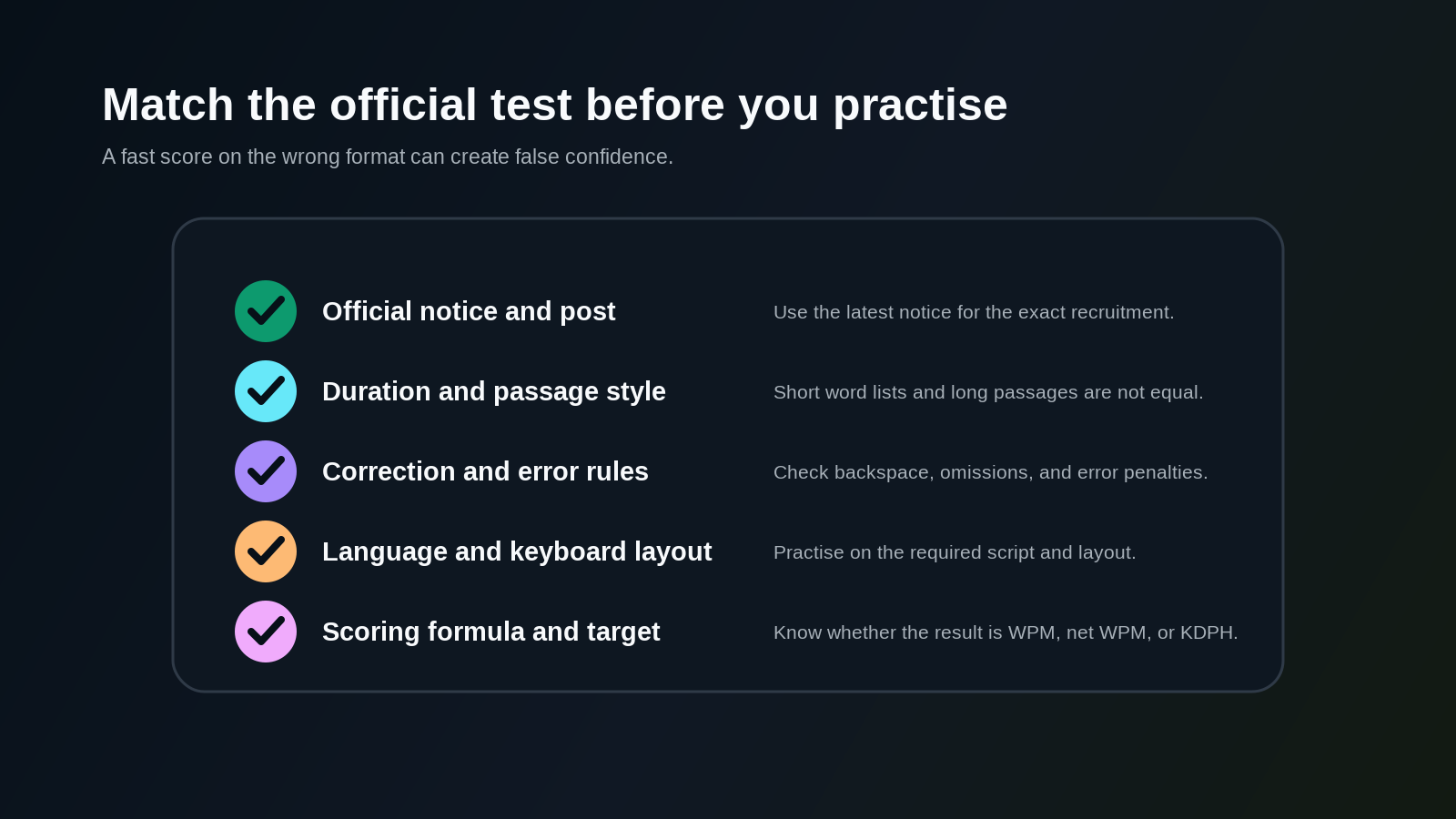
Download the current notice or rulebook from the test organizer.
Confirm:
- Required Hindi layout or input method
- Test duration
- Speed or key-depression rule
- Error calculation
- Passage and correction behavior
- Accommodation process
Copy these settings in every full mock. A transliteration score is not an official comparison when the test requires another layout.
Use a weekly practice loop
Use two sessions for character groups and difficult combinations in the Hindi input tool you have chosen. Use one session for full sentences. End the week with one timed passage in that same tool.
Review errors by pattern. A single wrong key may cause many wrong words. Fix that movement before adding more speed.
Keytopia provides native Devanagari words, sentences, lessons, and certification practice with a Hindi InScript virtual keyboard. Use that environment to build direct script familiarity, matra sequences, and consistent finger positions.
An independent practice result is not proof of readiness for every official Hindi test. If an exam requires Remington, Krutidev, a particular IME, or its own scoring formula, complete final mocks in that exact required setup.
Know what Keytopia can and cannot measure today
A typing platform must reproduce the script, layout, input method, duration, and scoring rule before its result can act as a useful mock.
Keytopia can measure native Devanagari typing with its Hindi InScript layout. The result can show pace, accuracy, errors, consistency, timing, weak keys, and key-pair patterns across practice, lessons, and Keytopia certifications.
It does not reproduce Remington, Krutidev, every Hindi IME, or an external examination's scoring and test-center conditions. Do not present a Keytopia result as an official SSC, CPCT, or employer score. Complete final mocks in the input method named by the current official notice.
FAQs
Which Hindi keyboard layout should I learn?
Learn the layout required by your exam or workplace. For personal use, choose a supported layout that works on your devices and keep it consistent.
Is transliteration the same as Hindi touch typing?
No. Transliteration converts typed Latin sounds into Hindi. A Hindi keyboard layout maps keys directly according to its own system.
Can I compare WPM across Hindi and English?
Only with caution. Script, input method, text, and scoring rules differ. Compare progress within the same language and setup.
Can I practise native Hindi typing on Keytopia?
Yes. Keytopia provides native Devanagari practice, lessons, and certifications with a Hindi InScript virtual keyboard. If your exam requires a different layout or scoring formula, also practise in that exact official setup.
What is the difference between InScript and Remington GAIL?
InScript is the standardized Unicode layout for Indian scripts, arranged by sound and built into major operating systems. Remington GAIL keeps the old Hindi typewriter arrangement in Unicode form. Exams name one or both; the finger maps are different, so practise the one your notice allows.
How do I practise Hindi typing for CPCT or SSC?
Set up the layout the notice names, learn character groups and matras without a timer, then type full Unicode sentences. Add timed passages at the official length, 15 minutes for CPCT and 10 minutes for the SSC CHSL test, and finish with full mocks in the official environment.
Sources
Independent research, official documentation, and source pages behind the claims above.
- Unicode Standard, Devanagari charthttps://www.unicode.org/charts/PDF/U0900.pdf
- SSC CHSL 2025 official notice, Hindi typing test requirementhttps://ssc.gov.in/api/attachment/uploads/masterData/NoticeBoards/Notice_of_adv_chsl_2025.pdf?mode=light
- Madhya Pradesh CPCT official portalhttps://www.cpct.mp.gov.in/
- Staff Selection Commission official websitehttps://ssc.gov.in/
Key takeaway
Choose the required Hindi input method, learn it in small groups, and test with real Unicode passages.
Free Keytopia typing test
Build a native Hindi typing baseline
Practise native Devanagari with the Hindi InScript layout and review pace, accuracy, consistency, timing, and key patterns. Use the official test’s required layout for final mocks.
No account needed. Save your history after sign-in.
- PaceAverage, raw, peak and low WPM
- ControlAccuracy, errors, consistency and CPM
- TimingReaction, overlap, hold, rhythm and recovery
- PatternsTimeline, heatmap, word, key and bigram speed