
ADHD-friendly typing practice uses one clear goal, a short visible session, immediate useful feedback, and an easy stopping point. Reduce screen distractions, vary the activity when attention fades, and save the next step so restarting is simple. This is practice design, not medical treatment.
- Make starting easier by deciding the task in advance.
- One useful measure is better than a busy results screen.
- Short sessions can still build skill when they happen often.
Free Keytopia typing test
Take the same baseline you would give a learner
See the learner result first-hand, including WPM, accuracy, consistency, weak keys, rhythm, and error recovery.
- PaceAverage, raw, peak and low WPM
- ControlAccuracy, errors, consistency and CPM
- TimingReaction, overlap, hold, rhythm and recovery
- PatternsTimeline, heatmap, word, key and bigram speed
No account needed. Save your history after sign-in.
Choose one result for the session
A session can focus on one key group, one difficult pattern, a calm one-minute baseline, or one longer passage.
Write the goal before starting. Keep it visible. A clear finish line reduces the need to decide what to do next while practising.
Do not try to fix speed, accuracy, posture, punctuation, and every weak key in the same ten minutes.
Remove setup friction
Open the practice page, choose the mode, and prepare the text before the session begins.
Turn off unrelated notifications. Close extra tabs when possible. Keep the keyboard and screen in a comfortable position.
Save the next drill at the end. The next session should begin with one click or one obvious instruction.
Use a short visible time block
Start with five or ten minutes. A timer can help when it feels supportive. Hide it when it becomes the distraction.
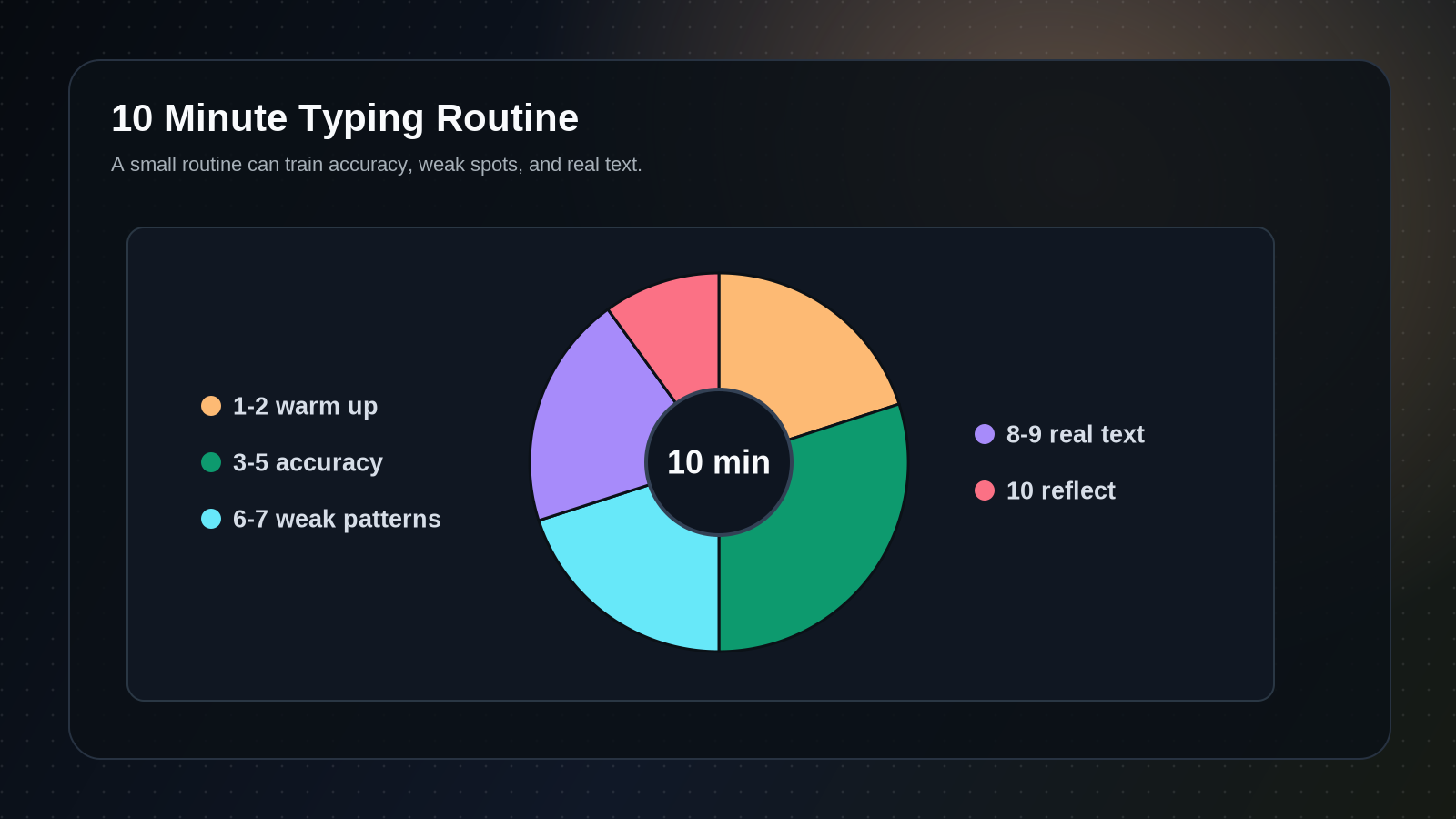
The session can have three parts:
- One minute of easy warm-up
- A few minutes on the chosen skill
- One normal line or test to check transfer
Stop at the planned time. Finishing a small plan builds a reliable return path.
Keep feedback simple
Choose the measure that fits the goal.
For a key drill, count fewer errors on that pattern. For a baseline, record WPM and accuracy. For focus, record whether the planned block was completed.
Hide extra charts when they pull attention away from the next action. Data is useful only when it changes the practice choice.
Change the activity without changing the goal
When repetition stops being useful, switch the form.
Practise the same keys in words, then a sentence, then a short game. Keep the target pattern the same. This adds variety without abandoning the skill.
Use sound, animation, and competition only when they help. Make them optional when they add noise or pressure.
Respect the person and their plan
People with ADHD do not all need the same interface or routine.
Ask what helps the learner start, stay with the task, and return later. Follow an education plan, workplace accommodation, or clinical recommendation when one exists.
Typing software does not diagnose or treat ADHD. If symptoms cause concern, speak with a qualified professional.
Pick one of three session shapes
A fixed routine can reduce setup decisions, but one routine does not fit every day. Prepare three versions in advance.
Five-minute restart:
- One easy minute.
- Three minutes on one key group or pattern.
- One normal line.
Ten-minute standard session:
- Two-minute warm-up.
- Five-minute focused drill.
- Two-minute transfer passage.
- One-minute note about the next step.
Fifteen-minute high-energy session:
- Three-minute baseline.
- Five-minute target drill.
- Three-minute game or challenge using the same skill.
- Three-minute normal passage.
- One-minute review.
Choose the version before opening extra tabs. A completed five-minute session is more useful than a fifteen-minute plan that never starts.
Use a setup and restart checklist
Before the session:
- Open only the page needed for the chosen drill.
- Silence unrelated notifications when possible.
- Put the goal in one short sentence.
- Decide whether a visible timer will help or distract.
- Keep water, keyboard, and screen position ready before starting.
After an interruption, do not rebuild the entire plan. Return with this cue: goal, next line, start. If the original block is no longer realistic, switch to the five-minute version.
At the end, leave one restart note such as "begin with commas" or "repeat the three-minute passage." The note removes a decision from tomorrow's session.
Match the feedback to the session goal
A results page can become another source of choices. Review only the measure that answers the session goal.
If the goal was accuracy, check errors and the pattern that repeated. If the goal was a baseline, record WPM, accuracy, and duration. If the goal was endurance, compare the start and finish of the longer passage. If the goal was simply to restart the habit, record that the planned block was completed.
Do not diagnose ADHD from typing behavior. Do not treat one low score as evidence about attention. This is a way to reduce practice friction, not medical treatment. Follow an education plan, workplace accommodation, or clinician's advice when one applies.
FAQs
How long should an ADHD-friendly typing session be?
There is no fixed length. Start with a short block that the learner can finish, then adjust from real experience.
Are typing games good for ADHD?
They can help when they practise the target skill without adding too much distraction or pressure. Use them as one part of a plan.
Should I hide typing statistics?
Hide any statistic that does not guide the next action. Keep one or two measures that match the session goal.
What if I stop an ADHD-friendly typing session halfway through?
Use the five-minute restart version or leave one exact next-step note. The goal is to make returning easy, not to punish an interrupted session.
Sources
Independent research, official documentation, and source pages behind the claims above.
Key takeaway
Use one goal, one short block, and one clear next step. Adjust the environment to the learner.
Free Keytopia typing test
Take the same baseline you would give a learner
See the learner result first-hand, including WPM, accuracy, consistency, weak keys, rhythm, and error recovery.
No account needed. Save your history after sign-in.
- PaceAverage, raw, peak and low WPM
- ControlAccuracy, errors, consistency and CPM
- TimingReaction, overlap, hold, rhythm and recovery
- PatternsTimeline, heatmap, word, key and bigram speed