
To improve typing accuracy, slow down until errors are rare, isolate weak keys and common letter pairs, practice real sentences, and only add speed in short bursts after your accuracy stabilizes.
- Accuracy plateaus are normal and fixable.
- Your missed keys and missed letter pairs are the map.
- Practicing slower is not going backward. It is rebuilding the pattern.
Free Keytopia typing test
Take a typing test and find the errors costing you speed
Get accuracy, error count, correction detail, weak keys, per-key speed, and slow letter pairs in one result.
- PaceAverage, raw, peak and low WPM
- ControlAccuracy, errors, consistency and CPM
- TimingReaction, overlap, hold, rhythm and recovery
- PatternsTimeline, heatmap, word, key and bigram speed
No account needed. Save your history after sign-in.
The accuracy plateau is not a character flaw
Many learners reach a point where speed rises but repeated errors remain.
That does not mean you are bad at typing. Your attempted pace may have moved ahead of your current control.
The fix is not another frantic speed test. The fix is deliberate accuracy work.
Find the errors that repeat
Do not treat every typo as random. Most people have patterns.
You might miss the same key, reverse the same letter pair, overreach with one finger, or rush punctuation.
After a practice session, look for repeats. If "th," "ion," "p," commas, or capital letters keep breaking, that is your next drill.
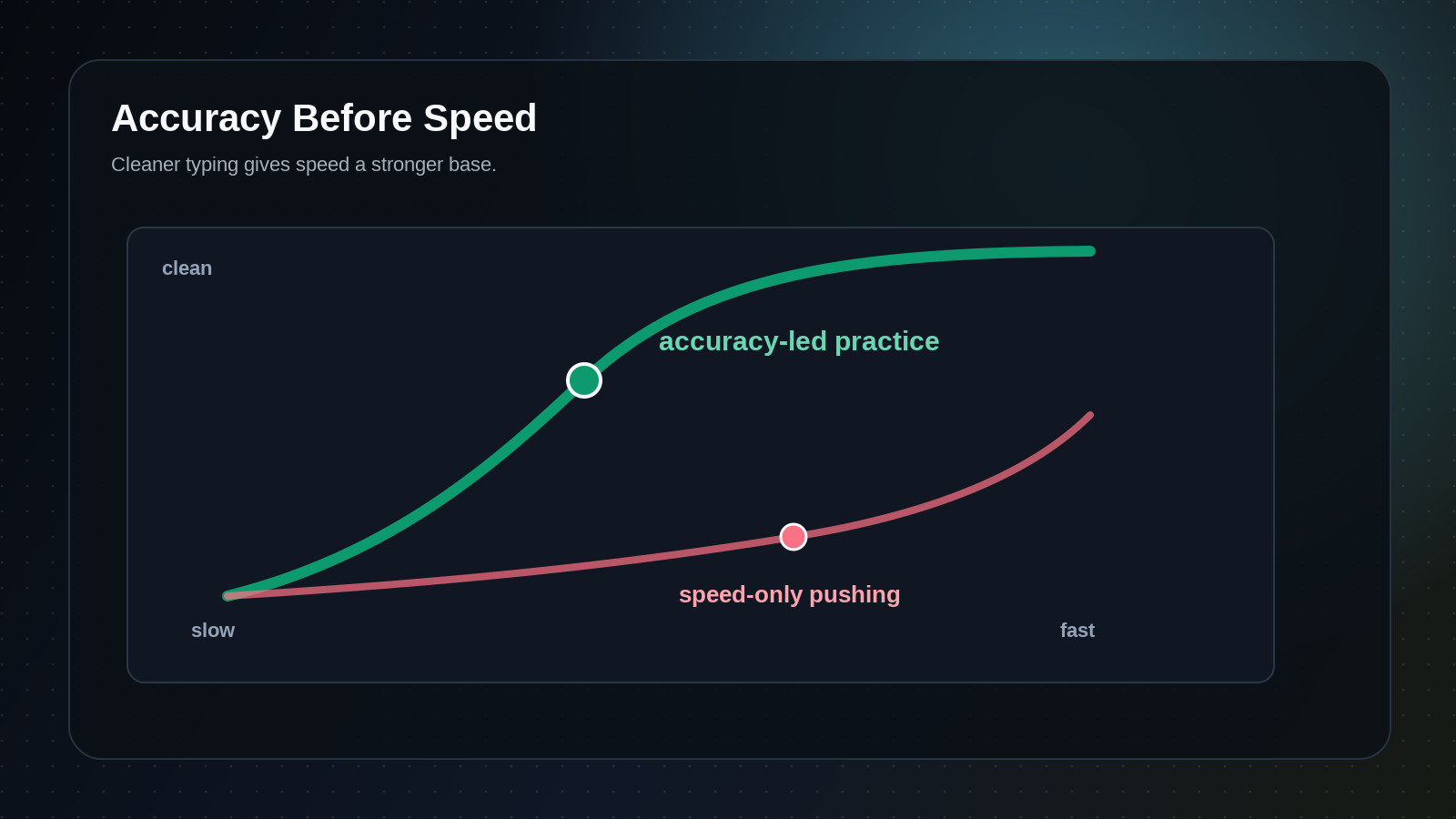
Use the slow-clean-fast method
Slow: type the weak pattern at a pace where you almost cannot miss.
Clean: repeat it until the movement feels boring and predictable.
Fast: do a short speed burst, then stop before the pattern falls apart.
This method separates controlled repetition from speed exposure. Compare it with your normal routine under the same test settings.
Practice real text, not only random words
Random words are useful because they expose weak letters. Real text is useful because it adds flow, punctuation, capitalization, and meaning.
Use both.
If your goal is essays, emails, chat, support replies, or documentation, your practice should include full sentences. That is where accuracy has to survive in the real world.
What counts as good typing accuracy
Accuracy targets are conventions, not laws, so the table says where each one comes from.
| Situation | Accuracy to aim for | Where the figure comes from |
|---|---|---|
| Everyday practice | 95 percent or better | A common convention: below it, errors cost more time than speed gains |
| Comfortable-pace practice | About 96 to 97 percent | Coaching guidance for steady, non-rushed practice |
| Weak-key drills | 97 percent or better | A drill should be slow enough to be almost clean |
| Keytopia certificates | 92 percent for Bronze up to 98 percent for Diamond | Published certificate tiers |
| Exams and job tests | The official rule for that test | Formulas differ; some count a whole word as lost for one wrong letter |
The cost of an error depends on the formula. Keytopia counts five characters as one word and divides correctly typed characters by five per minute. On a 1-minute test where you type 300 characters, 15 wrong characters is 95 percent accuracy and a final score of 57 WPM instead of 60. Under a word-based rule that drops the whole word for each error, the same 15 mistakes can remove 15 of 60 words and leave 45 net WPM. Accuracy matters most where the rule is strict, so find the rule before you decide how much speed to risk.
Find your five worst keys
Most repeated errors sit on a handful of keys and letter pairs. Find them before you drill anything.
- Take the 1-minute typing test twice at a calm pace.
- Open the result and look at the per-key speed, the weak keys, and the slow letter pairs.
- Write down the five keys or pairs that are slowest or most often wrong. Commas, P, Y, the number row, and pairs like "io" and "th" show up often.
- Check whether the error is the key itself or the move into it. A wrong letter after a long pause usually means the reach, not the key.
- Keep that list for two weeks and retest with the same settings.
Letter pairs deserve their own drill because the error often lives in the transition; the bigram and trigram practice guide explains how to build one. If you find that accuracy and speed keep trading places, typing accuracy vs speed explains which to protect first.
A two-week accuracy drill plan
Ten minutes a day is enough. Every session ends with the same short test so you can see the trend rather than one lucky run.
| Days | Drill | Pace | Finish with |
|---|---|---|---|
| 1 to 2 | Slow perfect lines on short passages | Slow enough for near-100 percent | One calm 1-minute test |
| 3 to 5 | Your five worst keys in real words | Slow, then normal | One calm 1-minute test |
| 6 to 7 | Letter pairs from the list in short words and sentences | Slow, then normal | One calm 1-minute test |
| 8 to 9 | Correction drill: fix the whole word, retype it once | Normal | One calm 1-minute test |
| 10 to 11 | Real text with capitals and punctuation | Normal | One 15-second speed burst, then one calm test |
| 12 to 13 | Mixed: one weak-key block, one real-text block | Normal | One 3-minute test |
| 14 | Retest only | Normal | Two 1-minute tests, same settings as day 1 |
Judge the plan by the day-14 tests. If errors fell and pace held, keep the same loop with a new list of five. If errors fell but pace dropped, the drills were right and speed will return; add one short burst per session. If nothing changed, the list was wrong, so look at the result again and pick different keys.
Three accuracy drills that do not waste time
Accuracy improves fastest when the drill is narrow.
First, run a slow perfect line. Pick a short passage and type it at a pace where you expect 100 percent accuracy. This teaches control.
Second, isolate your weak keys. If Keytopia shows that commas, Y, P, or the number row keep hurting you, practice those keys in small groups instead of retaking a full test.
Third, use a correction drill. Type normally, but every time you make a mistake, fix the whole word calmly and retype it once before moving on. This stops errors from becoming invisible.
None of these drills feel dramatic. They make the correct sequence and the repeated error easier to compare.
When speed practice is allowed back in
Do not wait for perfect accuracy forever.
Use any official threshold for your task. Without one, add a short speed burst when repeated errors are under control across several comparable runs. If the next calm run has many more errors, reduce the burst pace or length.
Think of speed as a ceiling and accuracy as the floor. Raise the floor first so the ceiling has somewhere to stand.
In Keytopia, alternate one calm accuracy run with one short faster run. The calm run protects form. The faster run teaches your hands what the next level feels like.
Know when autocorrect is hiding the skill problem
Autocorrect solves a different problem from touch typing. It predicts likely intent and repairs the visible text. It does not teach your fingers the movement that produced the error.
That trade is harmless in a casual message. It matters during practice because a silent correction can hide the exact pattern you need to see. It also matters in names, account IDs, amounts, file paths, code, commands, and mixed-language text. A plausible replacement can still be the wrong value.
Keep corrections visible during accuracy practice. For exact strings, compare the final entry with its source before you submit it. The goal is not to reject useful software. It is to know when convenience is masking an unreliable movement.
Train a calm error-recovery loop
Accuracy is not the promise that you will never make a mistake. Reliable typing also means noticing the error and recovering without losing the next line.
Type at a pace where you can recognise the wrong movement. When you miss, pause, correct the whole word cleanly, and restart the rhythm from the next word. Then inspect the result. Keytopia can show error count, correction behaviour, error-recovery detail, weak keys, per-key speed, and slow bigrams.
Choose one repeated pattern from that result. Practise it in a few real words, use those words in a sentence, and take the same test again. If the error is less frequent and the pace is still controlled, the drill transferred. If not, keep the pattern small instead of adding more speed.
FAQs
Is 95 percent typing accuracy good?
It may meet your current goal, but the test type matters. On 1,000 typed characters, 95 percent accuracy can represent about 50 incorrect characters under a simple character-based calculation. Use any official requirement, then work on the errors that repeat.
Why does my accuracy drop when I try to type faster?
Your hands are moving faster than the pattern they have learned. Slow practice rebuilds the pattern so speed has something stable to sit on.
Should I correct mistakes while practicing?
Often yes, because correction makes the error visible. But match the rules of your target test. Some exams restrict Backspace or score uncorrected errors in a specific way.
How do I practice weak keys?
Use short drills that include the weak key in real words and letter pairs. Then move back to sentences so the key becomes reliable in context.
Why is my typing accuracy so low?
Usually one of four things: you type faster than your finger map can support, a few keys or letter pairs are unreliable and keep failing, you look down and lose your place, or the test uses a strict rule that counts a whole word as wrong for one letter. Take a calm 1-minute test, read the per-key result, and fix the pattern that repeats.
Sources
Independent research, official documentation, and source pages behind the claims above.
- Cambridge, faster typists make fewer mistakes and look less at the keyboardhttps://www.cam.ac.uk/research/news/what-makes-a-faster-typist
- OSHA computer workstation tips for breaks and posturehttps://www.osha.gov/etools/computer-workstations
- W3C Input Events, insertReplacementTexthttps://www.w3.org/TR/input-events-2/
- Mobile keyboard predictive features studyhttps://doi.org/10.1145/3427311
Key takeaway
Accuracy improves when practice becomes specific. Slow down, isolate repeated errors, rebuild the movement, then add speed back carefully.
Free Keytopia typing test
Take a typing test and find the errors costing you speed
Get accuracy, error count, correction detail, weak keys, per-key speed, and slow letter pairs in one result.
No account needed. Save your history after sign-in.
- PaceAverage, raw, peak and low WPM
- ControlAccuracy, errors, consistency and CPM
- TimingReaction, overlap, hold, rhythm and recovery
- PatternsTimeline, heatmap, word, key and bigram speed