
Split and ergonomic keyboards change hand, wrist, and shoulder position. Some people prefer that setup, but evidence does not support a universal comfort or medical benefit. Test gradually and seek qualified help for persistent pain.
- Ergonomic keyboards are mainly about comfort and posture, not instant WPM.
- Split and tented designs allow different hand positions for some users.
- The transition can temporarily lower speed, so test gradually.
Free Keytopia typing test
Test your setup before you change it
Run the same test before and after a change. Compare errors, rhythm, reaction time, key overlap, and hold time.
- PaceAverage, raw, peak and low WPM
- ControlAccuracy, errors, consistency and CPM
- TimingReaction, overlap, hold, rhythm and recovery
- PatternsTimeline, heatmap, word, key and bigram speed
No account needed. Save your history after sign-in.
What ergonomic keyboards try to fix
Traditional keyboards keep both hands on one straight board.
People use that setup in different ways. A workstation assessment may find wrist angle, reach, force, repetition, or other factors that need attention.
Ergonomic keyboards change shape, angle, split, height, or key arrangement. The word "ergonomic" is not proof that a product will prevent or treat an injury.
Fixed split keyboards
A fixed split keyboard separates the left and right key groups but keeps them in one board.
Pros: easier transition than a fully split board, often more stable, fewer cables or setup choices.
Cons: the split angle is fixed, so it may not match your shoulder width or posture.
Pick this if you want a gentle ergonomic step without rebuilding your desk.
Fully split keyboards
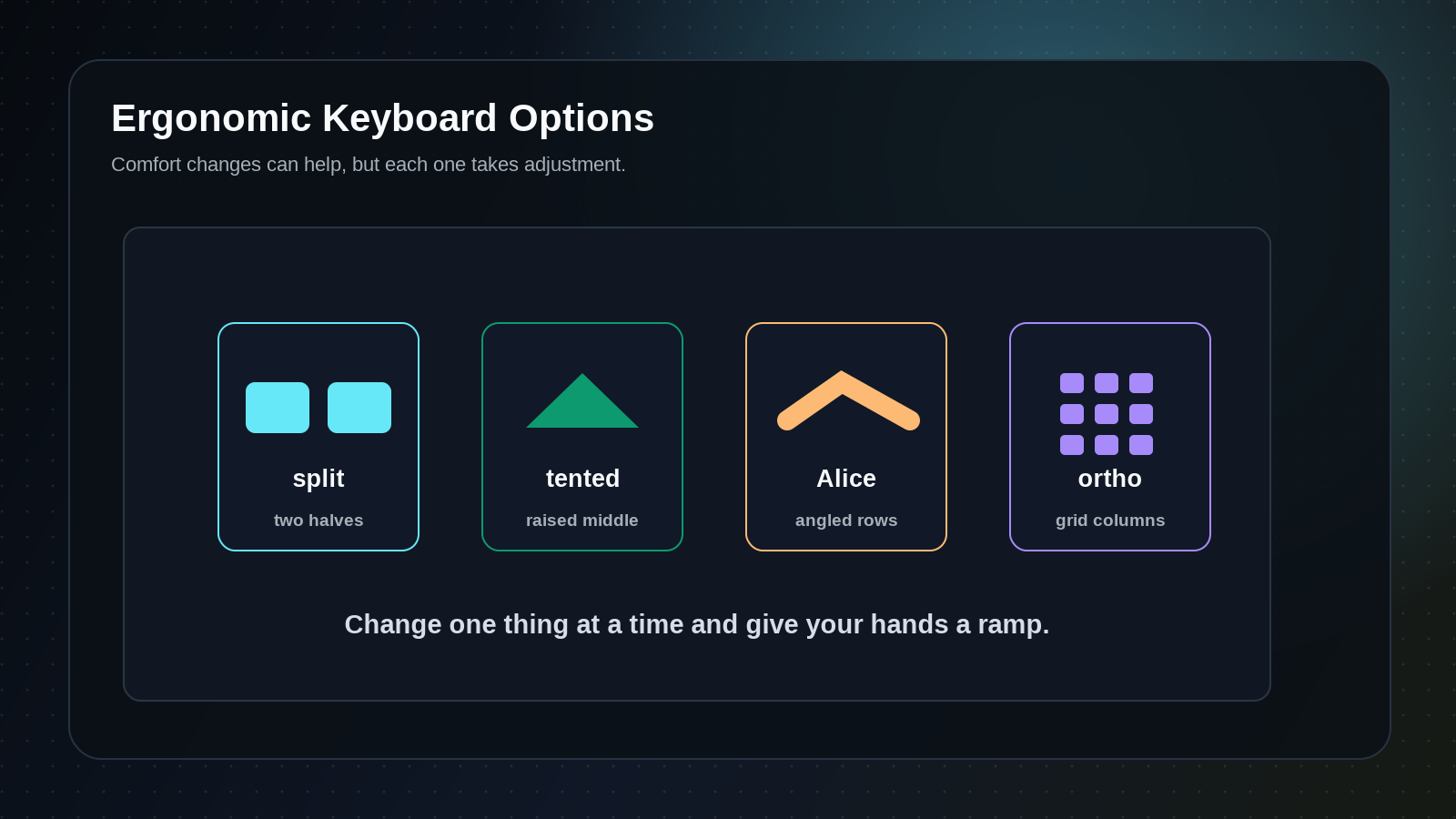
A fully split keyboard has two separate halves.
Pros: you can place each half where your shoulders and wrists feel natural. Some users also add tenting.
Cons: more setup, more adjustment, possible firmware or cable complexity, and a bigger learning curve.
Pick this if comfort matters enough that you are willing to experiment slowly.
Tenting, Alice, ortholinear, and column stagger
Tenting raises the inner edge of the keyboard halves so your palms face each other more naturally.
Alice-style boards angle the key clusters while staying in one piece.
Ortholinear boards place keys in straight grid columns.
Column-staggered boards align keys more closely with finger length.
Each design changes hand movement. Some people love the change. Some people find it strange. There is no universal winner.
Pros and cons
Possible benefits: more control over hand position, keyboard width, split distance, and tenting.
Cons: transition time, cost, unusual key placement, harder sharing with other people, and possible frustration if you switch during busy work.
Do not buy an ergonomic keyboard as a guaranteed treatment or speed upgrade. Treat it as a setup option that needs a careful trial.
How to transition safely
Start with short sessions.
Keep your old keyboard nearby for urgent work.
Practice slow accuracy first. Watch for tension. Do not push through pain.
Use Keytopia to track whether the new setup improves accuracy, comfort, and consistency over several days, not just one excited test.
Try ergonomic changes gradually
A split keyboard lets a user change the distance and angle between the two hands. It can also feel strange at first.
Do not judge it on the first hour. Start with normal text at a slow pace. Keep the halves close together at first, then widen them only if your shoulders feel better. If the keyboard supports tenting, use a mild angle before trying anything dramatic.
The goal is comfort, not a futuristic desk photo.
If your hands or wrists already hurt, stop and get qualified advice. Keyboard choice is only one part of the task and workstation, which also include chair height, desk height, mouse position, breaks, force, repetition, and workload.
Watch for the right signals
Good ergonomic gear should make typing feel calmer after the adjustment period.
Record repeated comfort, accuracy, and task performance. New pain, numbness, tingling, or weakness is a reason to stop and seek qualified advice, not a reason to keep testing keyboards.
Some people love split, ortholinear, and column-staggered boards. Some people type best on a normal keyboard with better posture. Both outcomes are fine.
Use Keytopia to compare calmly. Run the same short test on both setups over several days. One lucky run does not tell you much; repeated comfort and accuracy do.
FAQs
Will a split keyboard make me type faster?
Not right away. It may even slow you down during the transition. The main benefit is comfort and better hand position for some users.
Are ergonomic keyboards worth it?
They may be worth a trial if you want more control over hand position. Persistent discomfort needs qualified assessment. A product label cannot diagnose or treat the cause.
What is keyboard tenting?
Tenting raises the inner sides of the keyboard halves so your hands rotate into a more neutral position instead of lying flat.
Is ortholinear better for typing?
It is better for some people and worse for others. It changes the movement pattern, so expect a learning period.
Sources
Independent research, official documentation, and source pages behind the claims above.
- OSHA keyboard placement guidancehttps://www.osha.gov/etools/computer-workstations/components/keyboards
- Microsoft ergonomic keyboard support pagehttps://support.microsoft.com/en-us/surface/accessories/use-microsoft-ergonomic-keyboard
- QMK split keyboard documentationhttps://docs.qmk.fm/features/split_keyboard
Key takeaway
A split or ergonomic keyboard is one setup option, not a treatment or guaranteed upgrade. Test it gradually and judge repeated comfort and task performance.
Free Keytopia typing test
Test your setup before you change it
Run the same test before and after a change. Compare errors, rhythm, reaction time, key overlap, and hold time.
No account needed. Save your history after sign-in.
- PaceAverage, raw, peak and low WPM
- ControlAccuracy, errors, consistency and CPM
- TimingReaction, overlap, hold, rhythm and recovery
- PatternsTimeline, heatmap, word, key and bigram speed