
A typing certificate records a result from a specific test. It is useful when it shows the test date, duration, speed, accuracy, and a way to verify the result. It does not replace an employer test, and you should not claim that an employer accepts it unless the employer says so.
- Keep the test conditions with the certificate.
- A public verification code is more useful than a screenshot alone.
- List typing as a skill only when the result matches the work you can repeat.
Free Keytopia typing test
Take a timed typing test under repeatable conditions
Measure WPM, raw pace, accuracy, errors, consistency, reaction time, and recovery details in one focused run.
- PaceAverage, raw, peak and low WPM
- ControlAccuracy, errors, consistency and CPM
- TimingReaction, overlap, hold, rhythm and recovery
- PatternsTimeline, heatmap, word, key and bigram speed
No account needed. Save your history after sign-in.
What a typing certificate can prove
A certificate can show that you completed a typing test and reached a recorded speed and accuracy under stated conditions.
It cannot prove that every employer accepts the test. It cannot show how you perform on a different keyboard, longer passage, numeric entry task, or company assessment.
Treat it as evidence of one result, not a universal licence.
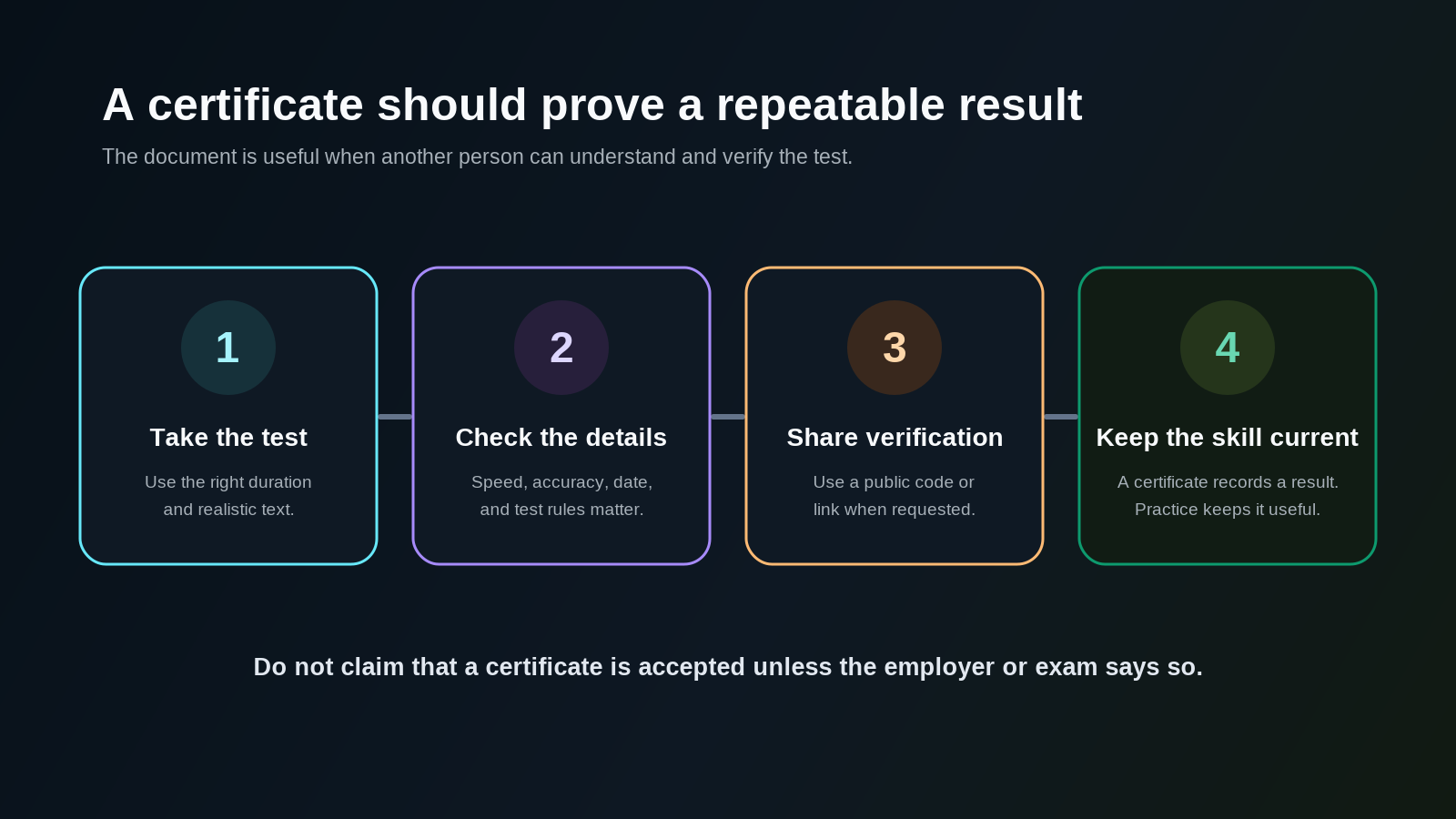
Details a useful certificate should include
Look for:
- Your name or public identity.
- Test date.
- Test duration and mode.
- WPM or the official measurement.
- Accuracy.
- Language or layout when relevant.
- A verification code or public link.
- The issuing platform.
Do not publish private account data, application numbers, or contact details that a recruiter does not need.
How to use it in a job application
Read the job description first. If it asks for a typing score, follow the stated test or document rules.
If no format is required, add a short line such as: "Recent verified typing test: 62 WPM at 98% accuracy, three-minute English test." Link the verification only when the application allows it.
Expect the employer to test you again. Practise above the minimum so an unfamiliar setup does not put you on the line.
How to add typing to LinkedIn
You can add typing or data entry to the Skills section. A certificate can also be added under Licences and Certifications when the issuer and verification details are clear.
Use a plain title. Include the date and verification URL. Do not write "professionally certified" unless the certificate and issuer support that wording.
A short post about the learning process can be more credible than a score alone. Explain the baseline, routine, final test, and what improved in real work.
Keep the result current
Typing skill changes with practice, health, equipment, and the test format.
Retest when a role depends on the result or when the certificate is old. Use the same conditions if you want a fair comparison.
Keytopia certificates can record a verified result. The practice history behind the result is what keeps the skill useful.
Write the result so a recruiter can verify it
A useful certificate entry should answer five questions without making the reader guess:
- Who issued it?
- What test was taken?
- When was it taken?
- What were the duration, speed, and accuracy?
- Where can the result be verified?
A clear description could read:
Keytopia English typing result, 62 WPM at 98 percent accuracy, three-minute test, completed 26 July 2026. Public verification: [credential URL].
Do not shorten this to "certified 62 WPM" if the test duration and scoring method disappear. Do not call the result government approved, professionally accredited, or accepted by an employer unless the relevant organization says that in writing.
Choose the right LinkedIn profile section
LinkedIn profiles can contain Skills, Licenses and certifications, and Test Scores. The best placement depends on what you are sharing.
Add typing as a Skill when it is a capability you use in work. Add a certificate under Licenses and certifications when there is a named issuer, issue date, credential ID, and public credential URL. Test Scores can be a clearer fit when you want to present one measured result without implying a professional licence.
Use the certificate title exactly as the issuer presents it. Enter the issuing organization, issue date, credential ID, and verification URL. If the result does not expire, do not invent an expiration date. If the result is old, retest before a typing-heavy application and describe the new test conditions.
FAQs
Do employers accept online typing certificates?
Some may accept them as supporting evidence. Many use their own assessment. Follow the employer instructions.
Can I add a typing certificate to LinkedIn?
Yes, when the issuer, date, and verification details are clear. Describe the result accurately.
How recent should a typing certificate be?
There is no universal rule. Retest when a job relies on the skill or when the employer asks for a recent result.
Should a typing result go under Skills, Test Scores, or Certifications?
Use Skills for the general capability, Test Scores for one measured result, and Licenses and certifications when the issuer provides a credential with an ID or verification URL.
Sources
Independent research, official documentation, and source pages behind the claims above.
- CPCT sample score card and verification detailshttps://cpct.mp.gov.in/per/g01/pub/1172/ASM/WebPortal/1/downloads/score_card.pdf
- LinkedIn Help, profile sections and contenthttps://www.linkedin.com/help/linkedin/answer/a564064/your-linkedin-profile?lang=en
- LinkedIn Help, adding and removing profile skillshttps://www.linkedin.com/help/linkedin/answer/a549047/add-and-remove-skills-on-your-profile?lang=en
Related Keytopia resources
Product pages and related guides from Keytopia. These are not independent evidence.
Key takeaway
Share a typing certificate as a specific, verifiable result. Do not present it as guaranteed employer acceptance.
Free Keytopia typing test
Take a timed typing test under repeatable conditions
Measure WPM, raw pace, accuracy, errors, consistency, reaction time, and recovery details in one focused run.
No account needed. Save your history after sign-in.
- PaceAverage, raw, peak and low WPM
- ControlAccuracy, errors, consistency and CPM
- TimingReaction, overlap, hold, rhythm and recovery
- PatternsTimeline, heatmap, word, key and bigram speed