
There is no universal typing speed for every age or grade. Results change with the test length, language, device, passage, error rule, instruction, and access needs. Use a repeated local baseline and set a small personal goal tied to the learner’s real school task.
- A benchmark without test conditions is not a fair comparison.
- Age alone does not describe typing instruction or access needs.
- Personal progress and task completion are stronger classroom measures.
Free Keytopia typing test
Take the same baseline you would give a learner
See the learner result first-hand, including WPM, accuracy, consistency, weak keys, rhythm, and error recovery.
- PaceAverage, raw, peak and low WPM
- ControlAccuracy, errors, consistency and CPM
- TimingReaction, overlap, hold, rhythm and recovery
- PatternsTimeline, heatmap, word, key and bigram speed
No account needed. Save your history after sign-in.
Why age charts disagree
Search results show many typing speed charts. They often list a WPM value for each age or grade without explaining the sample.
Ask who was tested, how many learners took part, what they typed, how long the test lasted, and how errors were scored. Also ask whether the group had formal keyboard instruction.
Without that context, a precise number can look more certain than the evidence.
Test conditions change the score
A short word-list test can produce a different result from a five-minute paragraph.
Punctuation, capitals, unfamiliar words, keyboard size, language, autocorrect, and backspace rules also matter. A tablet keyboard and a full desktop keyboard do not test the same physical task.
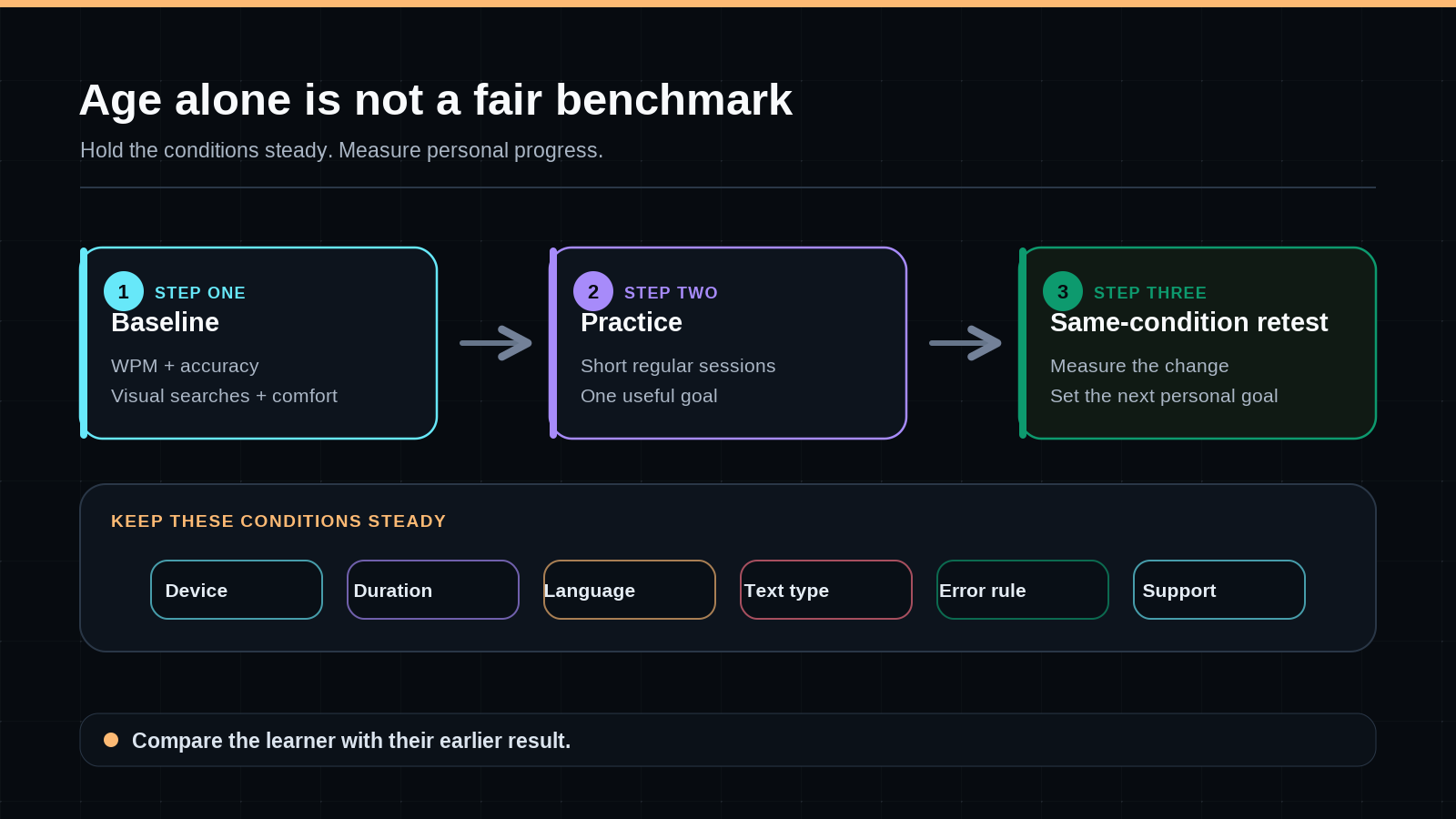
Record these conditions whenever a score is used for a goal.
Age is only one part of the learner
Two students of the same age may have different typing instruction, device access, hand size, language experience, motor needs, vision, or learning supports.
A fair goal respects those differences. It also avoids turning an access need into a lower effort grade.
Use the student's approved education or access plan when it sets a method or accommodation.
Build a local baseline
Choose a short task that matches classroom work. Keep the device, duration, text type, and scoring rule stable.
Record WPM and accuracy. Also note whether the learner can keep attention on the source, correct errors, and finish without discomfort.
Repeat the task after several weeks. Compare the learner with their earlier result, not with an unsupported internet chart.
Set a useful goal
A goal can be:
- Type a paragraph with fewer visual searches for keys
- Improve accuracy on the same three-minute task
- Finish a short assignment within the class period
- Use capitals and punctuation without losing the line
- Build a small WPM gain while keeping accuracy stable
Review the goal with the learner. The score should support learning, not become the whole purpose.
How Keytopia should report benchmarks
Keytopia will avoid presenting an invented age table as fact.
When enough privacy-safe first-party data is available, any published benchmark should state the sample, dates, test settings, language, device limits, exclusions, and distribution. A median and range are more honest than one expected number.
Until then, use Keytopia to create a consistent personal baseline and track the conditions with the result.
Keep a baseline record that another teacher can repeat
A score becomes useful when its conditions are clear. Keep a short record next to every student baseline.
Record these fields:
- Date and session number
- Test duration
- Language and text type
- Device and keyboard
- Punctuation and number settings
- Correction rule
- Supports or access tools used
- WPM, raw WPM, accuracy, errors, and consistency
- A short note about comfort and independence
This record prevents false comparisons. A student who moves from a tablet to a full keyboard did not take the same physical test. A student who uses an approved support should keep that support during the retest.
Avoid collecting personal detail that the lesson does not need. Follow school privacy rules. Share results only with the learner and people who need them for teaching or support.
Compare progress with a worked student example
Consider a student who takes the same three-minute paragraph test twice.
Baseline:
- 22 WPM
- 92 percent accuracy
- 64 percent consistency
- 14 errors
Six weeks later:
- 25 WPM
- 97 percent accuracy
- 78 percent consistency
- 6 errors
The WPM gain is small, but the result is much cleaner and steadier. That may be a stronger school outcome than a larger speed gain with falling accuracy.
Now consider a second student who moves from 33 WPM at 97 percent accuracy to 36 WPM at 88 percent accuracy. The higher WPM does not prove better control. Review the raw speed gap, corrections, and keyboard heatmap. The student may be rushing or struggling with a new key group.
These examples do not set age targets. They show why personal change under the same conditions is more useful than an unsupported age chart.
Choose the next goal from the result
Set one goal for the next practice block. Keep it tied to a real school task.
Use this decision guide:
- Accuracy fell while raw speed rose: use slower text and fewer new keys.
- Accuracy is stable but consistency is low: use short rhythm practice and familiar sentences.
- One keyboard area has most errors: review that key group before adding more keys.
- The timeline falls late in the test: add a slightly longer calm passage.
- The result is stable but school writing is still hard: practise a real assignment format.
- The learner reports discomfort: stop the test and review the setup with the right adult or professional.
Write the goal in plain language. For example: "Type one three-minute paragraph with at least the learner's current accuracy floor and fewer looks at the keyboard."
Review the goal with the learner. A goal should explain what to practise. It should not label the student's ability.
FAQs
What is a good typing speed for a 10-year-old?
There is no universal value. Use a consistent baseline, accuracy, comfort, instruction history, and the typing demands of the child’s schoolwork.
Should a school set one WPM target for a grade?
A shared reference can support planning, but it should include test conditions and allow individual access needs and learning history.
Is a higher WPM always better for a child?
No. A higher score is not useful when it comes from rushing, poor accuracy, discomfort, or a test that does not match real work.
What should a school publish instead of one WPM number by age?
Publish the test conditions, sample, date range, median, spread, and access limits. For individual teaching, use the learner’s same-condition baseline and real classroom task.
Sources
Independent research, official documentation, and source pages behind the claims above.
- Aalto University, analysis of 136 million keystrokeshttps://userinterfaces.aalto.fi/136Mkeystrokes/resources/chi-18-analysis.pdf
- U.S. Department of Education, protecting student privacyhttps://studentprivacy.ed.gov/
- W3C Web Accessibility Initiative, cognitive accessibility guidancehttps://www.w3.org/WAI/cognitive/
Key takeaway
Do not treat age as a complete typing benchmark. Use consistent conditions and measure personal progress toward real tasks.
Free Keytopia typing test
Take the same baseline you would give a learner
See the learner result first-hand, including WPM, accuracy, consistency, weak keys, rhythm, and error recovery.
No account needed. Save your history after sign-in.
- PaceAverage, raw, peak and low WPM
- ControlAccuracy, errors, consistency and CPM
- TimingReaction, overlap, hold, rhythm and recovery
- PatternsTimeline, heatmap, word, key and bigram speed