
On Keytopia, WPM is correct characters divided by five and by elapsed minutes. Raw WPM uses all typed characters. Accuracy is correct characters divided by typed characters. Consistency is based on variation across recorded word-burst speeds. Other platforms may use different formulas.
- WPM is useful, but it does not tell the full story.
- Raw WPM can reveal rushing when accuracy is low.
- Consistency matters because real work needs steady output, not one lucky burst.
Free Keytopia typing test
Take a typing test before choosing your next drill
See average, raw, peak, and low WPM alongside accuracy, consistency, word speed, rhythm, and your performance timeline.
- PaceAverage, raw, peak and low WPM
- ControlAccuracy, errors, consistency and CPM
- TimingReaction, overlap, hold, rhythm and recovery
- PatternsTimeline, heatmap, word, key and bigram speed
No account needed. Save your history after sign-in.
What WPM means
WPM means words per minute.
Many typing tests use a standard convention: one word equals five characters, often including spaces.
On Keytopia, the displayed WPM is:
correct characters ÷ 5 ÷ elapsed minutes
The result is rounded to a whole number. This does not mean every real word has five letters. It is a measurement convention. Do not assume another platform handles spaces, corrected errors, extra characters, or partial tests in the same way.
What raw WPM means
On Keytopia, raw WPM is:
typed characters ÷ 5 ÷ elapsed minutes
Suppose you type 300 characters in one minute and 285 match the expected text. Keytopia reports 60 raw WPM and 57 WPM. Accuracy is 285 ÷ 300, or 95 percent.
A gap between raw WPM and WPM shows that not all attempted characters counted as correct. Review the errors before deciding why. Rushing is one possibility, but unfamiliar text or a new mode can also create the gap.
What accuracy means
On Keytopia, accuracy is correct characters divided by typed characters, rounded to a whole percentage.
A high WPM with low accuracy is not as useful as it looks. Mistakes cost time and attention.
There is no universal good percentage. Use a published requirement when one exists. Otherwise, compare accuracy on the same duration and text type, then inspect which errors repeat.
What consistency means
On Keytopia, consistency estimates steadiness across recorded word-burst speeds.
The calculation uses the coefficient of variation. In simple terms, it compares how much the burst speeds vary with their average. Less variation produces a higher consistency score. When there are not enough bursts to calculate variation, the result defaults to 100.
This number is platform-specific. Monkeytype and other services can define consistency differently, so do not compare the percentages as if they were the same measure.
Read your result like a coach would
A typing result is a small performance report.
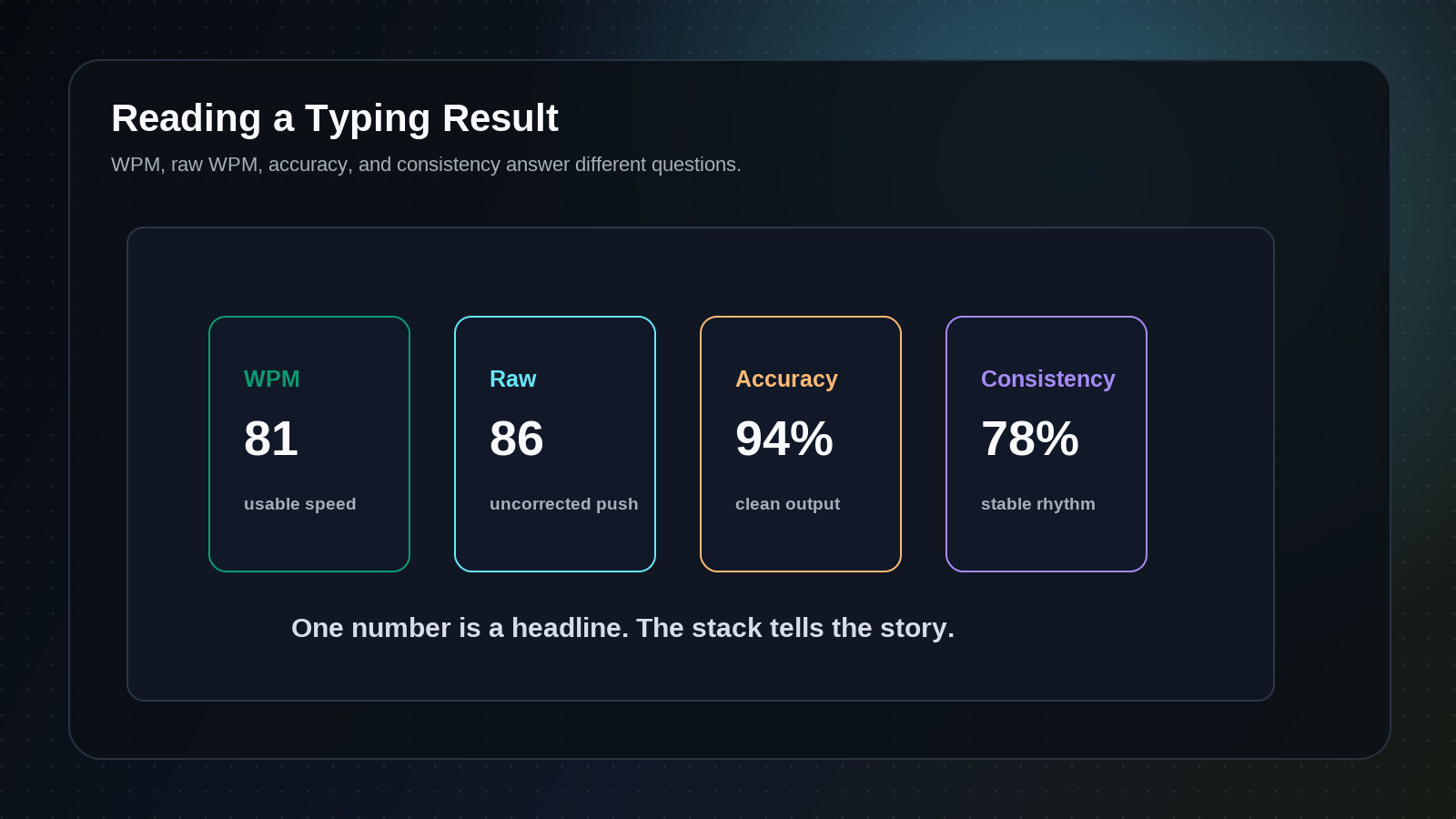
On Keytopia, raw WPM uses all typed characters. WPM uses correct characters. Accuracy is the percentage of typed characters that matched. Consistency estimates variation across recorded word-burst speeds.
A coach would not look at one number and clap or panic. They would ask what changed.
High raw WPM, low accuracy: slow down and repair.
High accuracy, low WPM: add controlled speed bursts.
Good WPM, poor consistency: practice longer rhythm.
Good short tests, poor long tests: build endurance.
The same score can mean different next steps. That is why the full stack matters.
Do not compare scores from different test types too literally
A one-minute lowercase word test, a five-minute punctuation passage, a quote test, and a code test are not the same event.
Short tests reward acceleration. Longer tests reward rhythm. Punctuation tests reward precision. Code tests reward symbol memory. Quote tests can punish unfamiliar words.
So compare like with like. Use the same duration and text style when measuring progress. Use different modes when diagnosing weaknesses.
Keytopia lets you move between those modes, but the interpretation is up to you. A lower score on harder text is not regression. It may be the first honest look at the skill you actually need.
Watch the trend, not the single run
One typing test can be noisy. You might be tired, distracted, cold, rushed, or using unfamiliar text.
Look at a small cluster instead: your last five clean runs, your best result this week, and whether accuracy is moving with speed or against it.
That trend is where improvement shows up. A single bad run is information. A repeated pattern is a plan.
Use peak, average, and low WPM to read the pace
The headline WPM tells you how much correct work survived the test. The pace range tells you how that result happened.
Suppose a run shows 68 average WPM, 79 raw WPM, a 96 WPM peak, and a 45 WPM low. The peak shows that your hands reached a faster rhythm for a short period. The low shows where that rhythm broke. The raw-to-average gap suggests that some attempted pace was lost to errors or corrections.
Open the performance timeline next. A fast opening followed by a steady fall usually points to an opening pace you cannot sustain. Sharp isolated drops can point to a difficult word, punctuation, a correction, or a moment of hesitation. A flat line with good accuracy can mean the pace is controlled and ready for short speed exposure.
Compare the same mode and duration when you retest. A higher low WPM and a steadier timeline can be a useful improvement even when the final average changes only a little.
Read reaction, overlap, hold, rhythm, and recovery together
Timing details explain what happens between the visible words.
Reaction time measures the delay before your first useful input. A slow start can come from reading the prompt, finding home position, or hesitation under a timer. Key overlap shows how often one key is still down when the next press begins. Some overlap is normal at speed, but unusual patterns can reveal rushed transitions. Hold time shows how long keys stay pressed. Heavy or uneven holds can interrupt a light rhythm.
Rhythm score describes how evenly the pace moves. Error-recovery detail shows what happens after a miss. A fast typist who freezes after every error may lose more time in recovery than in the wrong press itself.
Do not chase one timing number in isolation. Watch a run, inspect the timeline, and connect the data to a visible habit. Then change one thing. You might start with a calmer first line, release keys more lightly, or practise one clean correction followed by an immediate return to the next word.
Turn the heatmap, word speed, and bigrams into a drill
Pattern analytics show where the average score is hiding a local delay.
Start with the keyboard accuracy heatmap. A cluster of errors around one area may point to an uncertain reach or a lost home position. Check per-key speed next. If one key is slow across many words, practise that movement before treating every affected word as a separate problem.
Word-speed data can reveal familiar words that are unexpectedly slow. Bigram analysis goes one level deeper by ranking two-key pairs. Use the fastest pairs as evidence of movements that already flow. Use the slowest pairs to choose a small drill.
For a slow pair such as ct, type it inside several real words, then inside two short sentences. Finish with a normal paragraph and retake the same test. Keep the drill only if the pair becomes cleaner in real text. The purpose of analytics is not to collect more charts. It is to choose a smaller and more useful next session.
FAQs
What is the difference between WPM and raw WPM?
On Keytopia, raw WPM uses all typed characters, while WPM uses correct characters. Other platforms may apply different error and correction rules.
Is accuracy more important than WPM?
Early on, yes. Accuracy gives speed a stable base. Once accuracy is strong, WPM becomes more meaningful.
What is good typing consistency?
There is no universal good percentage. On Keytopia, a higher value means the recorded word-burst speeds varied less relative to their average. Compare it only across similar Keytopia tests.
Why did my WPM drop when accuracy improved?
You may have slowed down to reduce errors. That can be useful even if WPM does not immediately recover. Compare several like-for-like tests rather than promising that speed will always rebound.
Sources
Independent research, official documentation, and source pages behind the claims above.
Key takeaway
WPM is only one part of a typing result. Read it with raw WPM, accuracy, consistency, and comfort if you want to know what to practice next.
Free Keytopia typing test
Take a typing test before choosing your next drill
See average, raw, peak, and low WPM alongside accuracy, consistency, word speed, rhythm, and your performance timeline.
No account needed. Save your history after sign-in.
- PaceAverage, raw, peak and low WPM
- ControlAccuracy, errors, consistency and CPM
- TimingReaction, overlap, hold, rhythm and recovery
- PatternsTimeline, heatmap, word, key and bigram speed